The Framer alternative for teams without a designer
Framer is excellent — if someone on your team designs. If nobody does, a blank canvas is the bottleneck, not the price. Tessolo gives you blocks, templates, a content CMS and forms, so the person who owns the campaign can ship the page.
Short answer
Choose Framer if you have a designer and want pixel-level control over a canvas. Choose Tessolo if the people making landing pages are marketers, not designers, and you want the page to ship this week.
Where Framer gets in the way of a marketing team
A canvas expects a design decision on every element
Framer's editor is built around free placement and layout constraints — powerful if you think in Figma, exhausting if you don't. Tessolo gives you finished blocks: pick a hero, a pricing table, an FAQ, then edit the words. Spacing, responsive behaviour and the color scheme come from the theme, so there is no way to make it look broken.
Billing is per site, and campaigns are never one site
Framer's paid plans are charged per site — Basic $10/month and Pro $30/month, as listed on framer.com/pricing (checked 7 Sep 2026). A team running a product page, a campaign page and an event page pays three times. Tessolo bills per workspace: Starter is $12/month and covers 3 sites, Pro $29 covers 10.
The page is only half the job
A campaign page needs somewhere for the leads to land and someone to update the product list next month. Tessolo ships both: form submissions go to an inbox in the console with CSV export and a notification email, and content collections drive list and detail pages that a non-technical teammate can update without touching the layout.
Side by side
| Framer | Tessolo | |
|---|---|---|
| Built for | Designers working on a canvas | Marketing and ops teams without a designer |
| Pricing unit | Per site | Per workspace |
| Entry paid plan | $10 / month per site (Basic) | $12 / month for 3 sites (Starter) |
| Editing model | Free placement on a canvas | Blocks plus a properties panel; theme controls spacing and color |
| Content | CMS collections | Collections with list, detail-template pages and CSV import / export |
| Forms | Built in | Built in, with a submissions inbox, CSV export and notification email |
| AI | Credit based | Generate a page, or describe a change and preview it before applying |
| Free plan | Framer subdomain; custom domain needs a paid plan | 1 site, 5 pages, a badge; custom domain needs a paid plan |
What that looks like
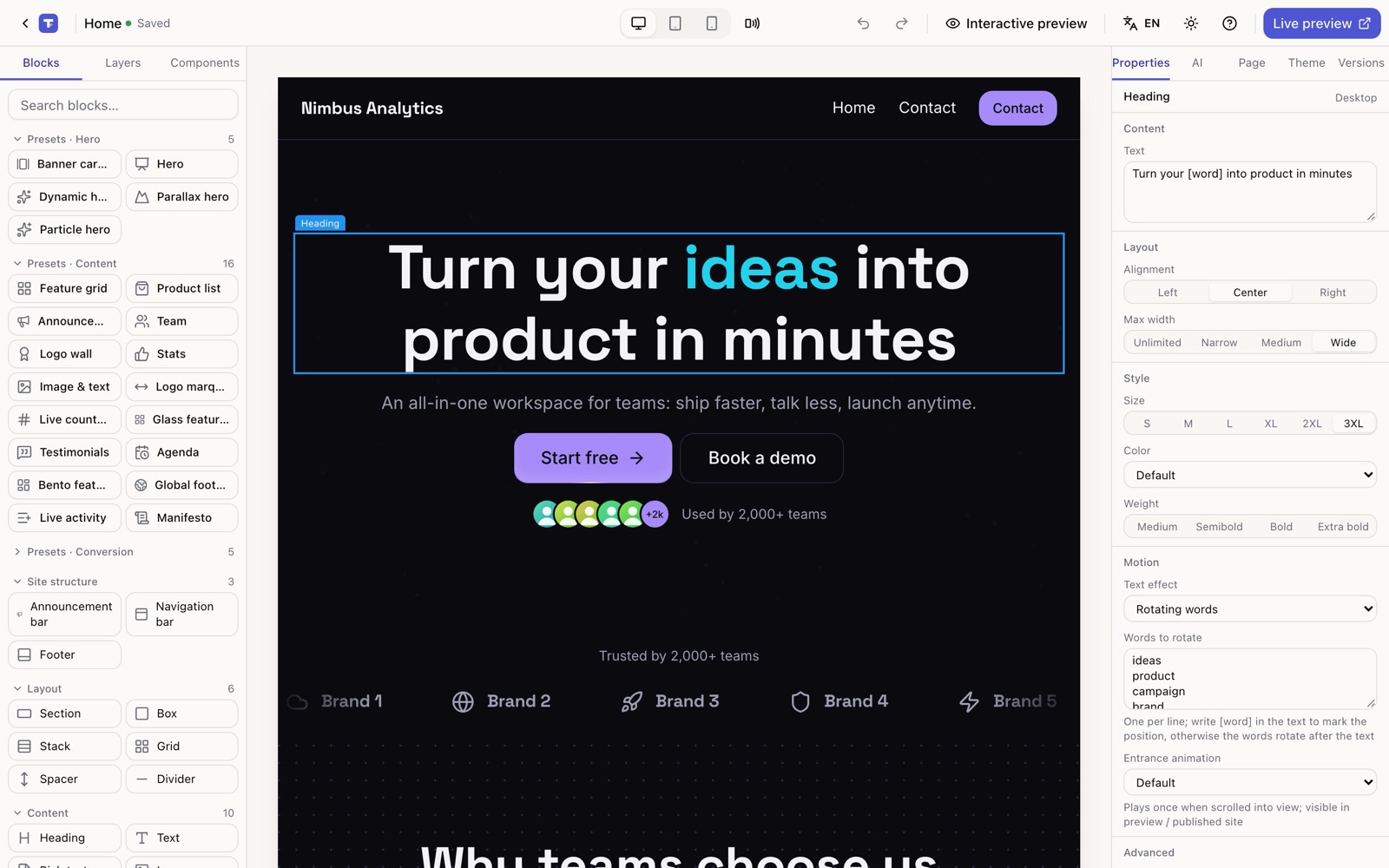
Click a block, edit it on the right
Every block has a properties panel. Text effects, entrance animation and per-screen tweaks are all dropdowns — no keyframes.
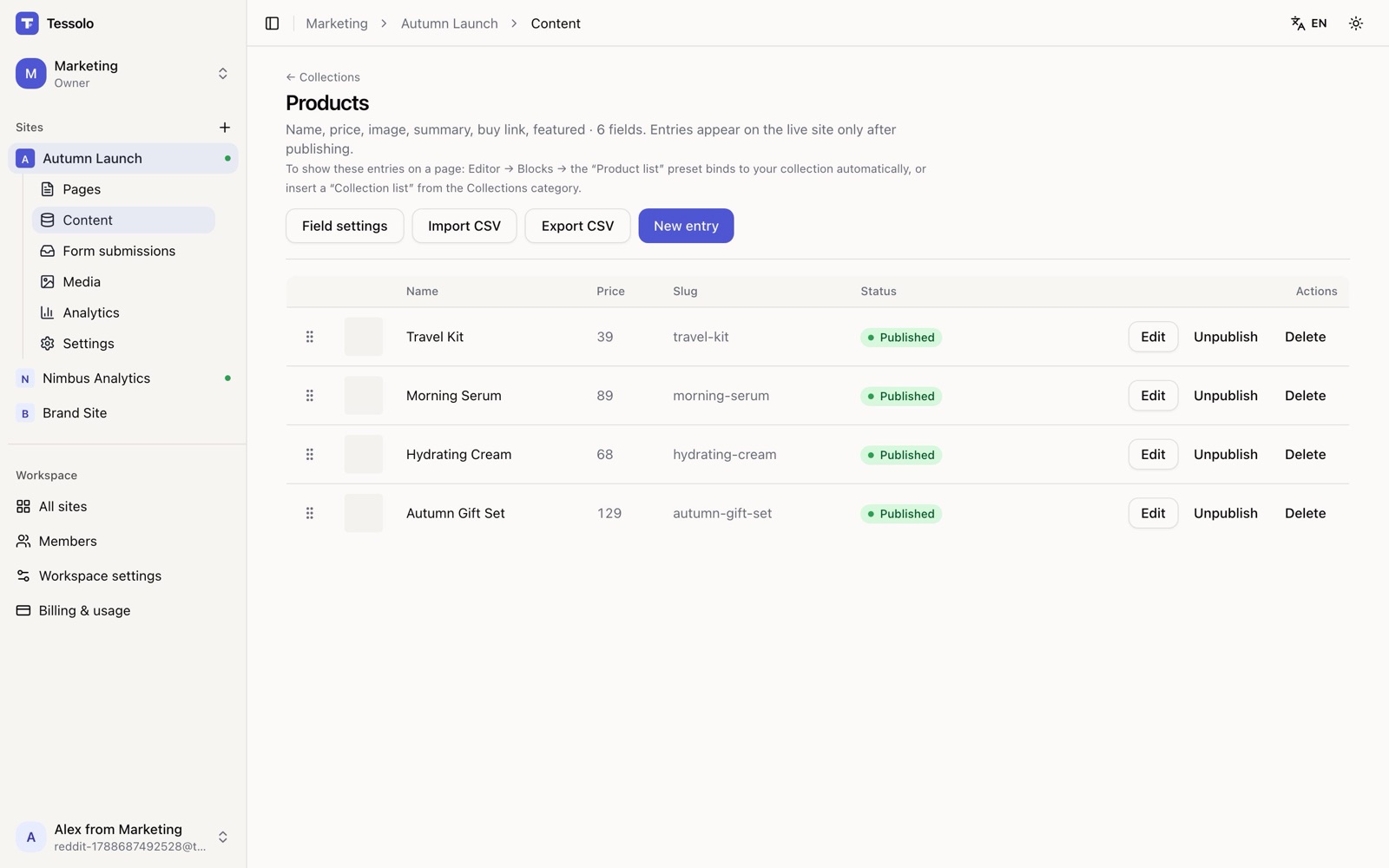
Product lists that someone else can update
Put products, events or testimonials in a collection. The list page and the detail page are bound to it, so next month's update is a row in a table.
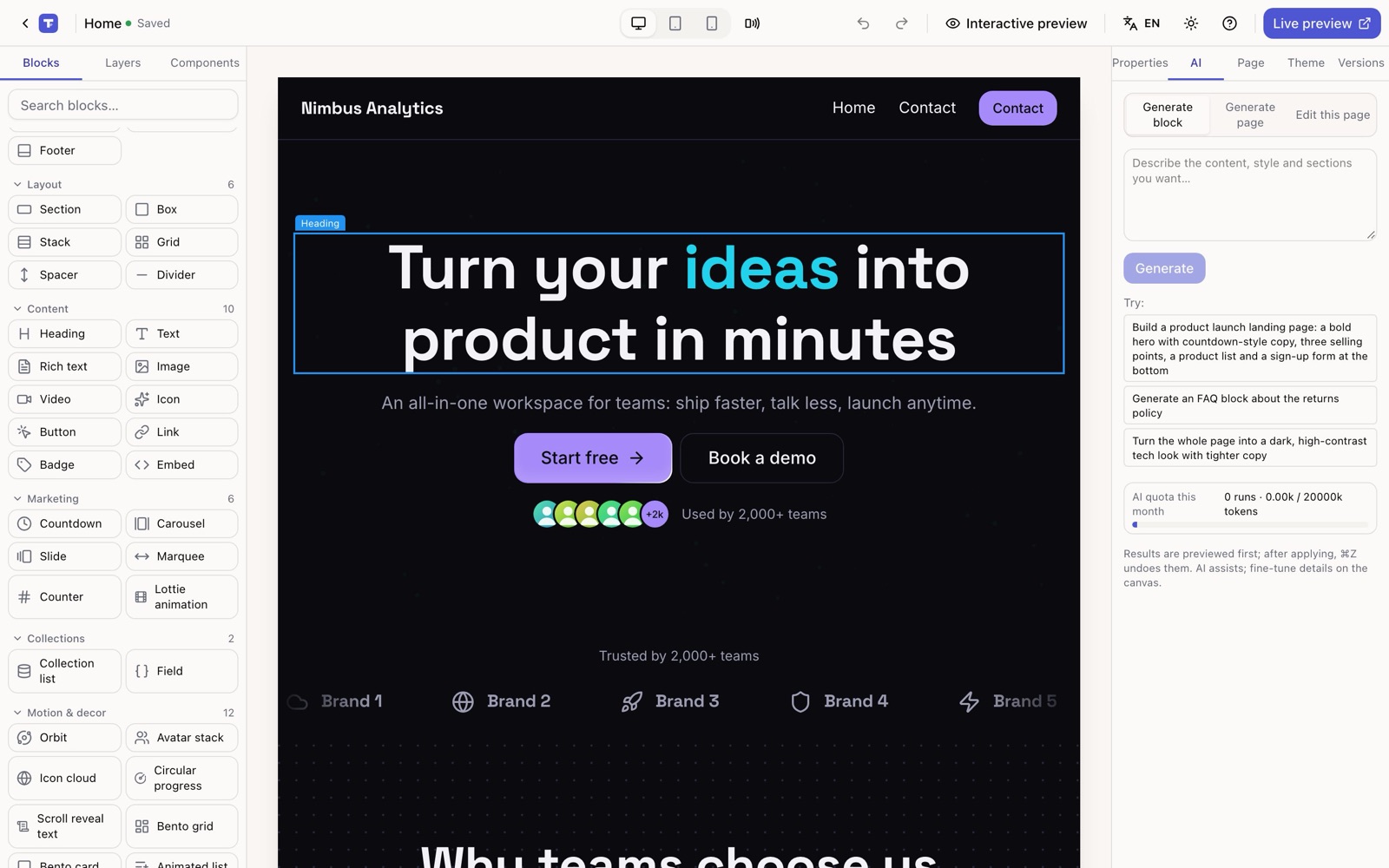
AI that edits the page you already have
Describe the change — “make the hero shorter and add a countdown” — and preview it on the canvas before applying. Undo works the same as any other edit.
When Framer is the better choice
- You have a designer, and pixel-level control over layout is the point.
- You want elaborate scroll-linked motion and custom React components.
- Your team already lives in Figma and wants that workflow end to end.
We would rather you pick the right tool than churn in a month.
Moving a page over
1. Start from a template
Pick the closest whole-site template — pages, header and footer are already set up.
2. Bring the words across
Paste your existing copy, or let AI draft the page from a description and edit from there. There is no Framer importer — a landing page is usually faster to rebuild than to migrate.
3. Point the domain
Add your custom domain on any paid plan, publish, and keep the old page up until DNS moves.
Questions people actually ask
- Do I need to know design to use Tessolo?
- No. You pick blocks and edit text; spacing, type scale and colors come from the theme. Pick a color scheme and the whole site follows it.
- Can I import my Framer site?
- No, and we would not pretend otherwise. Start from a template, paste your copy or let AI draft it, then adjust. For a landing page this is usually an afternoon.
- Is there a free plan?
- Yes: 1 site, 5 pages, 50 form submissions a month, with a small “Made with Tessolo” badge. No credit card. Paid plans start at $12 a month for 3 sites.
- Can I use my own domain?
- Yes, on any paid plan. Free sites are published on a Tessolo subdomain.
- What happens to my forms?
- Submissions land in the console with CSV export, and you can have each one emailed to your team. Quotas run from 50 a month on Free to 100,000 on Business.
Build the page yourself this week
Free plan, no credit card. Pick a template and start editing.