Creating a component
Turn a section into a reusable Tessolo component: select it, create the component, insert more instances, and when a preset is the better choice.
A component is a piece of design you use in several places and edit once. Change the component and every copy on every page updates.
The panel puts it well: turn cards and CTAs you reuse into components and edit them once for the whole site.
Select what to reuse
Click the block on the canvas, or its row in Layers. A card, a call-to-action band, a contact strip — anything with structure worth repeating.
Select the outermost block of the thing. If you want a whole card, select the card, not the heading inside it.
Create it
Open the Library tab in the left panel and press Create.
Give it a name editors will recognise — "Feature card", "Newsletter CTA". You'll be picking it from a list later.
The original becomes an instance
What you selected turns into an instance of the new component. It looks identical and is in the same place; it now follows the component.
Inserting more
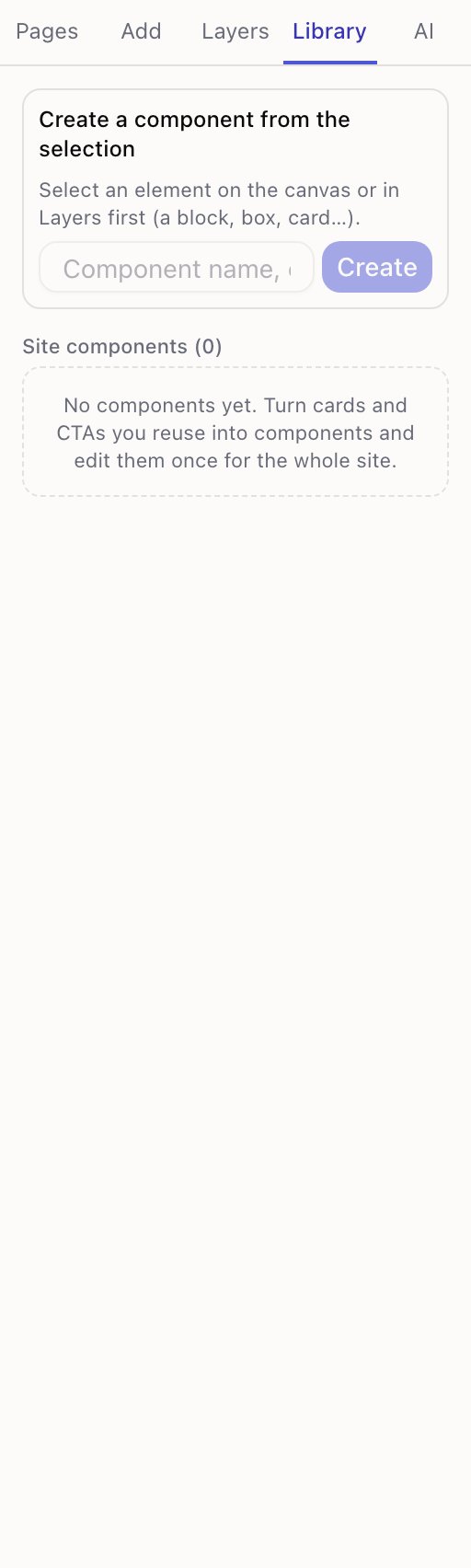
From Library, click a component to insert it, or drag it onto the canvas to place it exactly.
Components also appear at the bottom of the Add panel under My components, so you don't have to switch tabs mid-flow.
Component or preset?
Both give you a ready-made section. The difference is what happens afterwards.
| Preset | Component | |
|---|---|---|
| Where it comes from | Built in | You made it |
| After inserting | Independent copy | Stays in sync |
| Editing it later | Each copy separately | Once, everywhere |
Use a preset to start a section you'll then make your own. Use a component for something that must stay identical — a CTA repeated on eight landing pages, a card layout used across a catalogue.
What's worth making into one
Good candidates: a call to action at the bottom of every landing page; a feature card used twelve times; a contact block in three places; a promotional banner you'll swap out at the end of a campaign.
Not worth it: something used once; a whole page (duplicate the page instead); anything that should differ each time — that's what presets are for.
The test is maintenance: would you have to remember to change this in six places? If yes, make it a component.
Where they live
Components belong to a site. Other sites in the workspace don't see them.
To reuse a look across sites, use a saved theme for the styling and rebuild the structure.
Members area: pages only signed-in visitors can see
Let visitors sign in with their email, keep some pages or sections for members, and see who joined.
Instances and what they can change
Component instances in Tessolo stay in sync with the original but can override chosen content — overrides, exposed props, nesting, translations.