Generating a page or a block
Generate a whole page or a single block with Tessolo's AI: write the description, choose where it lands, judge the result and fix it by hand.
Page or block?
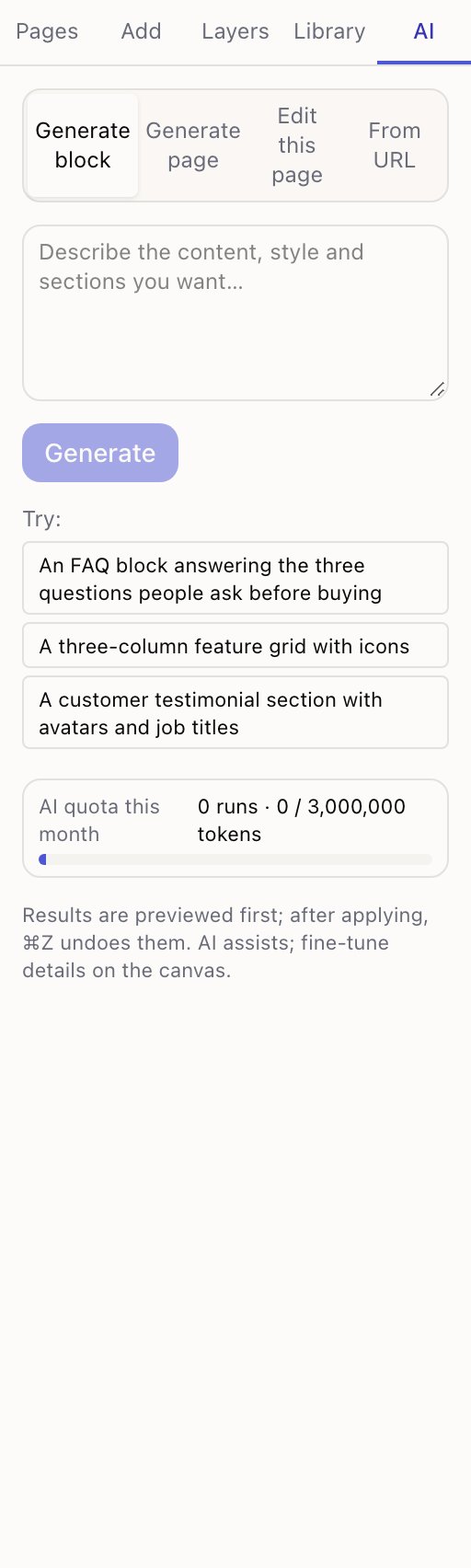
Generate page replaces everything on the current page. Use it on a blank page, or when you want to start over.
Generate block builds one section and inserts it, leaving the rest alone. Use it far more often — it's lower risk and easier to judge.
Generate page really does replace the whole page. On a page you care about, duplicate it first, or use Generate block.
Writing the description
Say what the page is for, then what should be on it, then how it should feel. The panel's own examples show the shape:
Build a product launch landing page: a bold hero with countdown-style copy, three selling points, a product list and a sign-up form at the bottom
A customer testimonial section with avatars and job titles
Concrete beats poetic. "Three selling points" produces three; "compelling value propositions" produces a guess.
Where a block lands
Before generating, the panel tells you: inserted after the block you have selected, or at the end of the page if nothing is selected. Afterwards it's selected and scrolled into view so you can start editing straight away.
Select the block you want it to follow before you press Generate.
While it runs
Progress is shown as it goes, and the result appears on the canvas as a preview — a full page takes a couple of minutes, a block much less.
Cancel stops it. Nothing is applied and nothing is charged for a cancelled run beyond what was already used.
Judging the result
Look at three things before applying:
- Are the sections the ones you asked for? Missing ones are the most common problem.
- Is the copy usable? It will be generic — it doesn't know your product. Expect to rewrite it.
- Does it look right on a phone? Press 3 while the preview is up.
Then Apply to page, or Discard and adjust the description.
What to fix by hand afterwards
Nearly always:
- The words. Every claim, price and product name. AI writes placeholder copy that reads like real copy, which is exactly what makes it dangerous to leave.
- Images. They'll be stock or placeholders. Swap in yours.
- Links. Buttons may point nowhere. The pre-publish check catches these.
The layout is usually the part worth keeping. The content is the part worth replacing.
What the AI can do
What Tessolo's AI can do in the editor: four modes, one monthly allowance, nothing applied until you accept it, and what it never touches.
Editing a page with AI
Use Tessolo's AI to change an existing page: describe the edit, limit it to one section, preview the result, then keep or discard it.