What the AI can do
What Tessolo's AI can do in the editor: four modes, one monthly allowance, nothing applied until you accept it, and what it never touches.
The AI tab is the fifth tab in the editor's left panel. It has four modes.
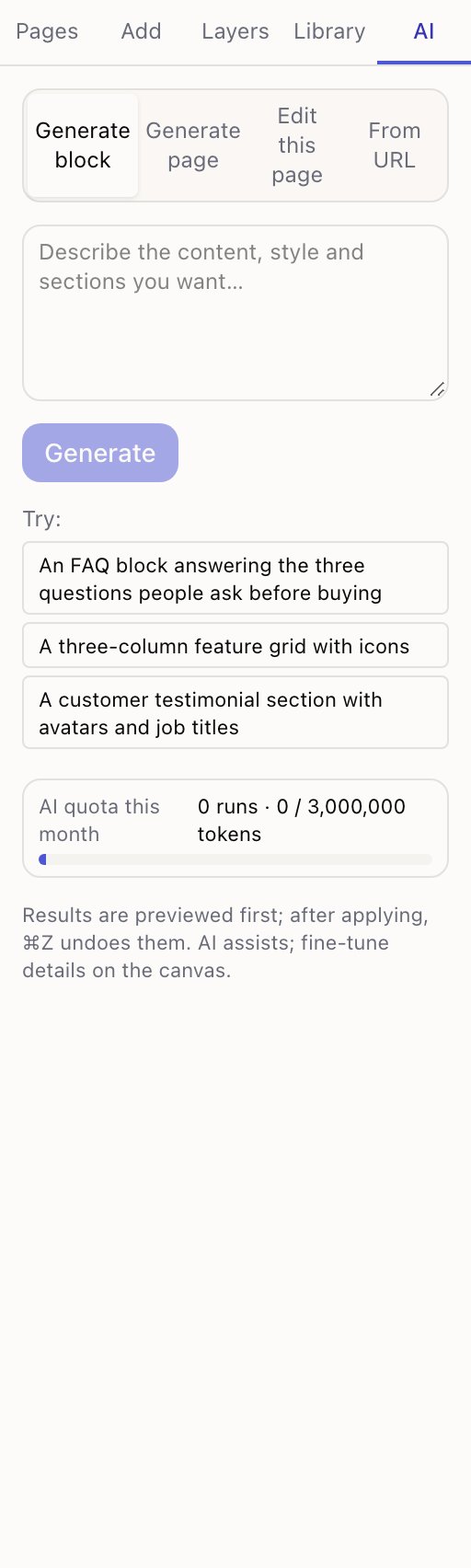
- 1The four modes
- 2What you want, in plain language
- 3This month's allowance
| Mode | What it does |
|---|---|
| Generate page | Builds a whole page from a description. Replaces what's there |
| Generate block | Builds one section and inserts it, leaving the rest alone |
| Edit this page | Changes what's already there — copy, layout, colours |
| From URL | Reads an existing web page and rebuilds it with Tessolo blocks |
Nothing happens until you accept it
Every result is previewed on the canvas first. You see exactly what you'd get, with the changed parts marked, and then choose Apply to page or Discard.
After applying, ⌘Z undoes the whole thing in one step.
That's the important bit. AI here can't quietly damage a page you'd spent an afternoon on: you look first, and you can back out afterwards.
The monthly allowance
The panel shows AI quota this month — how many runs you've made and how much of your allowance is left.
Each plan includes an amount, from 200k on Free to 20M on Business. See plans and limits. Generating a full page costs considerably more than a small edit, so most people's usage is dominated by a few big generations.
What it's good at, and what it isn't
Good at: a first draft of a page you'd otherwise stare at; a section in a style you can describe but not build; rewriting copy to be shorter or punchier; converting an existing page into blocks.
Not good at: knowing your prices, your policies or your team; making final decisions about layout; anything you can't describe in a sentence or two.
Treat it as a fast first draft. The footnote in the panel puts it well: AI assists; fine-tune details on the canvas.
What it never touches
- Your collections and entries. It works on page layout and copy, not your content database.
- Site settings, domains, billing.
- Anything on the live site. Results go into your draft. Publishing is still your call.
If it goes wrong
If a result can't be used, the panel says so and tries once to repair it automatically. If that fails you'll see why, and nothing is applied — your page is untouched.
You can Cancel at any point while it's working.
Video, files, fonts, 3D models and Lottie
Everything that isn't an image in Tessolo: embedding or uploading video, documents for download, fonts, 3D models and Lottie animations.
Generating a page or a block
Generate a whole page or a single block with Tessolo's AI: write the description, choose where it lands, judge the result and fix it by hand.