Fonts
Pick a heading and body font pairing in Tessolo, choose from the built-in list, handle non-Latin text, or upload and use your own font file.
A theme has two fonts: one for Headings, one for Body. That's on purpose — two related fonts look designed, four look accidental.
Ready-made pairings
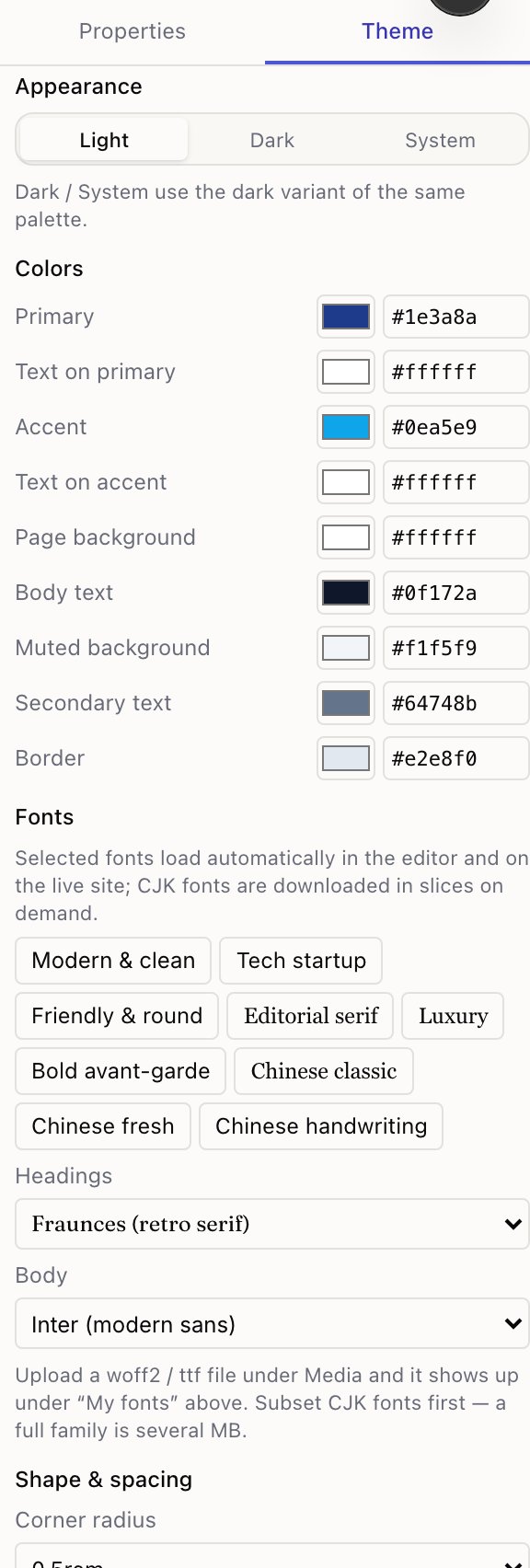
The panel offers pairings that are known to work together. Picking one sets both fonts at once.
If you're not sure, take a pairing. Choosing two fonts that sit well together is a genuinely hard design skill, and the pairings exist so you don't have to have it.
Choosing individually
Both dropdowns list the built-in fonts. Changing one previews immediately on the canvas.
A rule that survives most situations: one of the two should be plain. A characterful heading font over a neutral body font reads well. Two characterful fonts fight.
Non-Latin text
The list includes fonts that cover Chinese and other non-Latin scripts. These are large, so they're downloaded in pieces as needed rather than all at once — visitors only fetch the characters your pages actually use.
If your site is in one of those languages, pick one of those fonts. A Latin-only font will silently fall back to whatever the visitor's device has, and your carefully chosen headings will look different on every machine.
Using your own font
If your brand has a licensed font:
Upload the file
Open Media and upload the font file. .woff2 is the format to ask your designer for —
it's the smallest and every current browser reads it.
Pick it in the theme
Back in Theme → Fonts, your uploaded font appears in the dropdown marked as custom. Choose it for headings, body, or both.
Two things to check before you do this:
- The licence. Web use is a separate licence from desktop use for most commercial fonts. Uploading a font you only have a desktop licence for isn't allowed.
- The weights. Upload every weight you use. If you only upload the regular weight, bold text is faked by the browser and looks worse than a font that ships a real bold.
What visitors see first
Fonts load with the page. Text appears immediately in a fallback and swaps when the real font arrives — visitors never stare at a blank page waiting.
This means a very brief flicker on a slow connection. It's the right trade: the alternative is invisible text.
Colours
Generate a full Tessolo colour palette from one brand colour or set all nine colours by hand, for light and dark, with readable contrast.
Saving and reusing themes
Save a finished Tessolo theme to the workspace library and apply it to any other site — applying copies it, it doesn't link — and who can manage it.