Multi-language sites
Multi-language sites in Tessolo: one site and one set of pages served in several languages — what can be translated and what visitors get.
A multi-language site is one site with the same pages served in more than one language. You never build a second site, and you never lay out the same page twice.
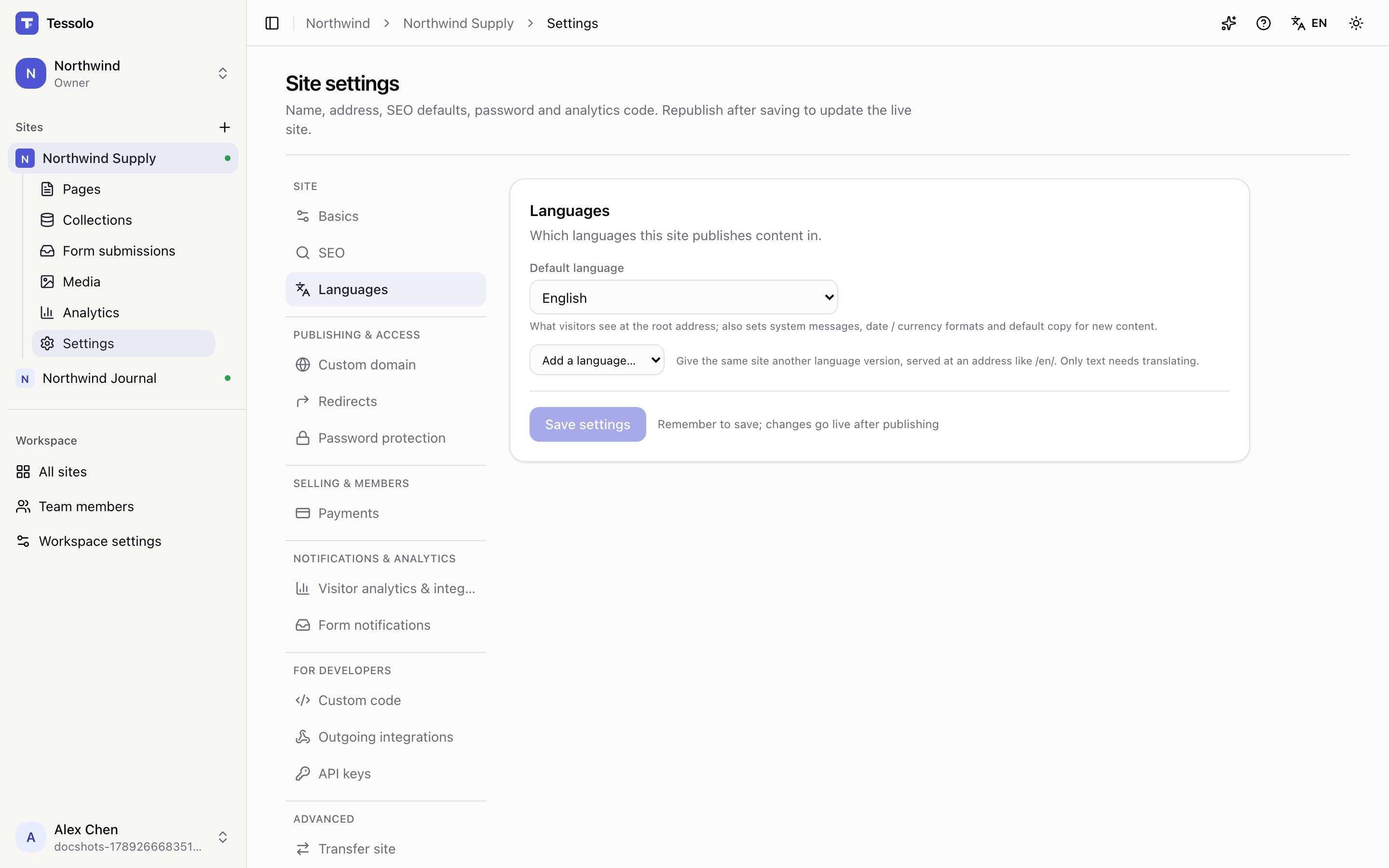
- 1Default language — served at the root address
- 2Extra languages, each with its own progress
Default plus extras
Default language is what visitors get at your root address. It also sets system messages, date and currency formats, and the default copy for new content.
Other languages are added on top. Each is served under a prefix:
yourbrand.com/about       ← default language
yourbrand.com/fr/about    ← French
The default language never gets a prefix. That keeps your main addresses clean and means adding a language doesn't move any existing page.
Structure is shared, text is not
This is the model, and everything else follows from it.
Every language version of a page has the same blocks in the same order with the same images. Only the text differs. Change a heading's size and it changes in every language; change its words and only that language changes.
So the work of translating a site is writing text, not rebuilding pages. It also means a translated version can't drift structurally out of step with the original.
In translation mode you can only edit text. The editor says so plainly: only text can change here. Switch back to {default} for structure, style and images. That's a guard, not a limitation — otherwise your French page would slowly become a different page.
What can be translated
- Page text — headings, paragraphs, button labels, list items
- Page titles and search descriptions
- Collection entries — Text, Rich text and URL fields
What can't: images, numbers, dates, toggles, and technical settings. Those are the same in every language.
What visitors get
- The right language at the right address
<html lang>set correctly, so screen readers and browsers behave- Search engines told which pages are versions of each other, so they show the right one to the right person
- Your sitemap covering every language
- A language switcher in your header, added for you the first time you enable a language
Plan limits
Extra languages per site are limited by plan: none on Free, one on Starter, three on Pro, ten on Business. Removing a language keeps its translations in case you re-add it.
Before you start
Two questions worth answering first:
Who writes the translations? AI can do a first pass, but someone who speaks the language should read it. A translated site nobody has checked can be worse for trust than an English one.
Is it the whole site or a few pages? Translation is per page and per entry, so you can start with the three pages that matter and leave the rest.