Adding a language
Add a language to a Tessolo site: check the default language, turn on a new one, add a language switcher for visitors, or remove a language.
Check the default is right
Settings → Languages. Default language is what visitors get at your root address.
Change it now if it's wrong. It also decides system messages — form errors, countdown units — and date and currency formats.
Add the language
Under Other languages, use Add a language… and pick from the list. Save.
The address prefix is shown beside it — /fr, /de, /zh-cn. That's what visitors will
see.
If your plan has no extra languages left, the option says so rather than failing after the fact.
Check the switcher
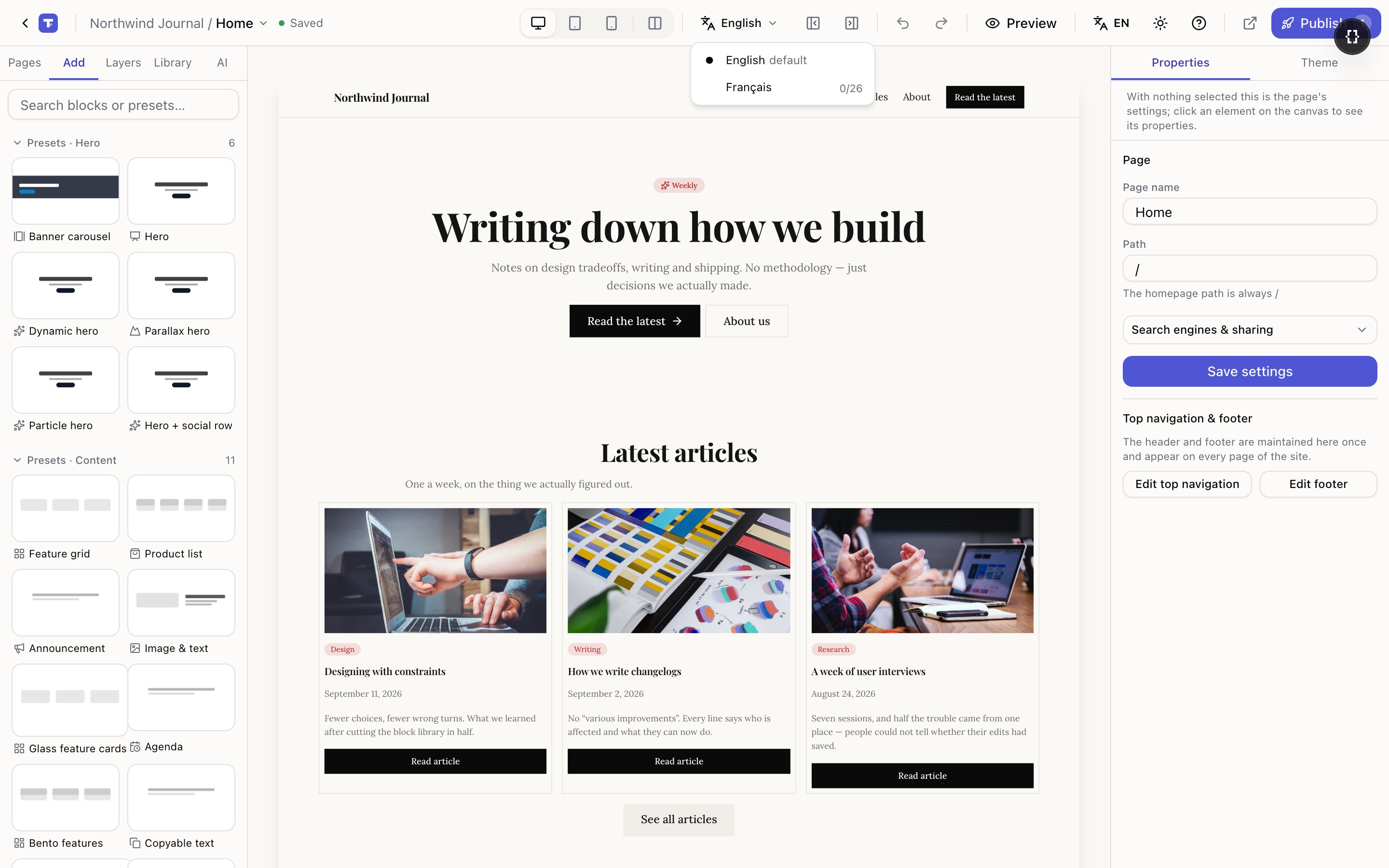
The first time you add a language, a Language switcher block is added to your top navigation automatically.
Without one, a visitor has no way to reach the other version except by typing the prefix — so translating would be invisible work. If your header already has one, nothing changes.
Its settings: Inline (side by side) or Dropdown — which saves space when you have several — and labels as the language name or a short code.
Translate
The panel now shows a progress line per language: how much text is translated and how many entries. See translating pages and translating entries, or run AI translation over the whole site.
A path that clashes with a language code
If you already have a page at /fr, enabling French is refused — the address would be
ambiguous. Rename that page first; the message tells you which one is in the way.
The same check runs the other way: once French is on, you can't create a page whose path
starts with /fr.
Removing a language
Remove stops serving it. Its addresses go away and the switcher stops offering it.
Translations are kept. Re-add the language later and your text is still there. So removing one to tidy up is safe — you're not throwing work away.
Multi-language sites
Multi-language sites in Tessolo: one site and one set of pages served in several languages — what can be translated and what visitors get.
Translating pages
Translate Tessolo pages in the editor's translation mode: text, locked settings, page titles and search descriptions, and reusable components.