Publishing translations
Why a translated Tessolo site can still show the original language: pages and entries publish separately, and the order that gets it live.
Translations are drafts until they're published — and pages and entries publish separately. That single fact explains almost every "my translated site is still in English" report.
The two halves
| What you translated | How it goes live |
|---|---|
| Page text, titles, descriptions | Republish the site |
| Collection entries | Publish each entry |
Republishing the site does not publish entries. It never has, for pages or for translations — entries have their own publish button because you often want a draft article that isn't ready.
The symptom
Your /fr/ pages have French headings and navigation, and every article on them is still in
English.
That's pages published, entries not. Open the collection, look at the Translations column and the Status column, and publish the entries.
Why it matters more than it looks
When you enable a language, Tessolo tells search engines that /fr/articles/x is the French
version of /articles/x.
If the French page is actually still English, you've told them something untrue. Search engines show that page to French searchers, who bounce. A half-published translation is worse than no translation at all, because at least an English-only site is honest about what it is.
The order that works
Translate
Pages in the editor, entries in the collection. AI first if you like.
Check the progress
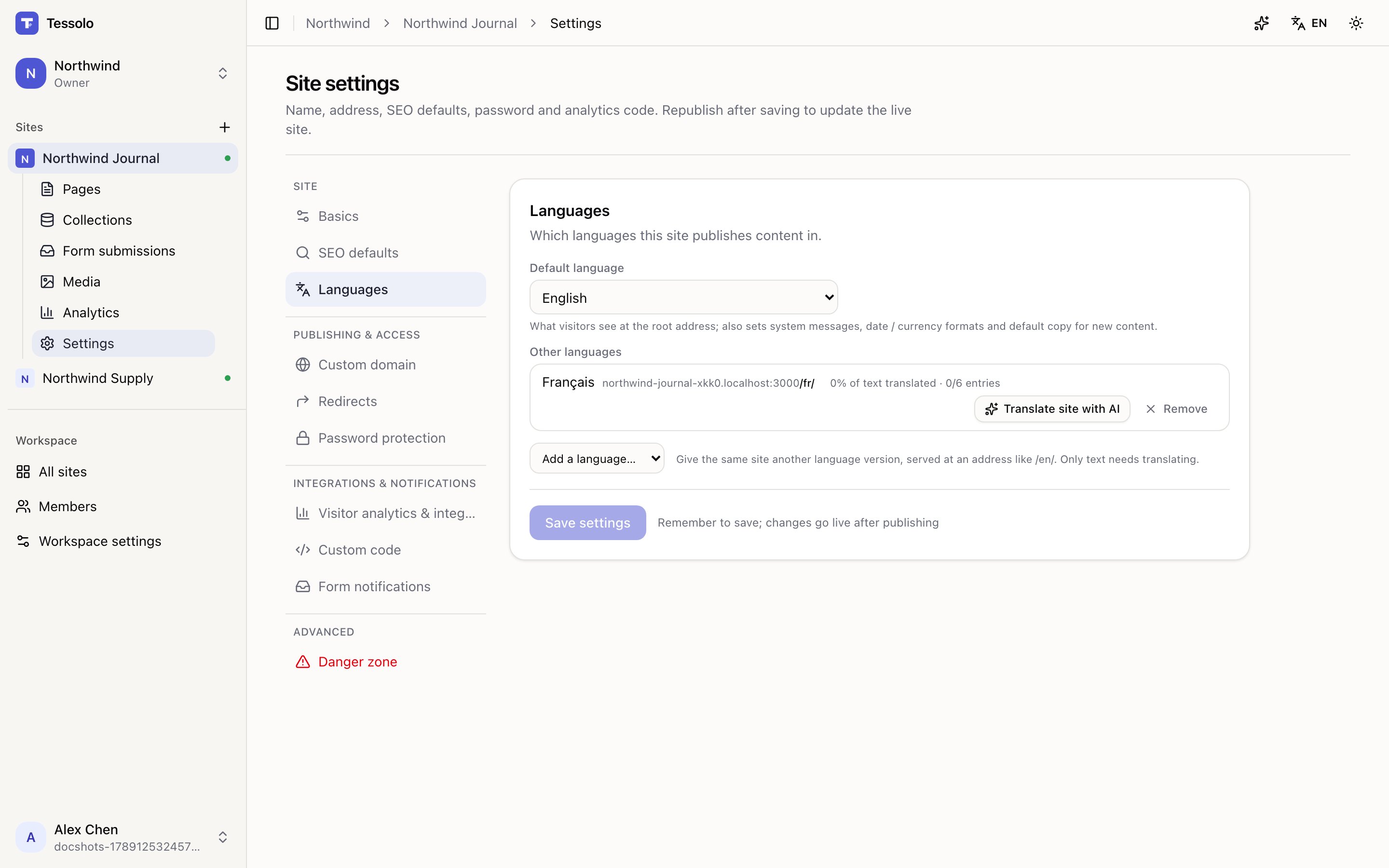
Settings → Languages shows percentage of text translated and how many entries. Aim for 100% before going further.
Publish the entries
Open the collection, filter for Unpublished changes, and publish them. If you used Translate site with AI, entries that were already live were republished for you — the summary says how many.
Republish the site
That publishes the page text, titles and descriptions.
Walk the language before announcing it
Open the prefix — yourbrand.com/fr/ — and click through as a visitor. Home, main pages, one
article, one product. Five minutes.
You're looking for pages still in the original language, half-translated pages, and a language switcher that works both ways.
Until you've done that walk, don't link to the language from anywhere public. An unannounced language nobody knows about costs nothing; an announced one that's half English costs trust.
Translating with AI
Translate one page, one collection entry or a whole Tessolo site with AI — every result is a draft you review before publishing.
Publishing and republishing
Publish a Tessolo site: what gets published, when to republish after a settings change, who can publish, and how long it takes to go live.