Translating with AI
Translate one page, one collection entry or a whole Tessolo site with AI — every result is a draft you review before publishing.
Three sizes of the same tool. All of them write drafts you review.
The rest of this page
In translation mode, the banner across the canvas offers Translate the remaining {n} with AI.
It fills in only what's missing — anything you've already translated by hand is left alone. The count tells you how much it's about to do.
One entry
An entry's language tab has Translate this item with AI. Best for a long article body where typing it out would take an hour.
The whole site
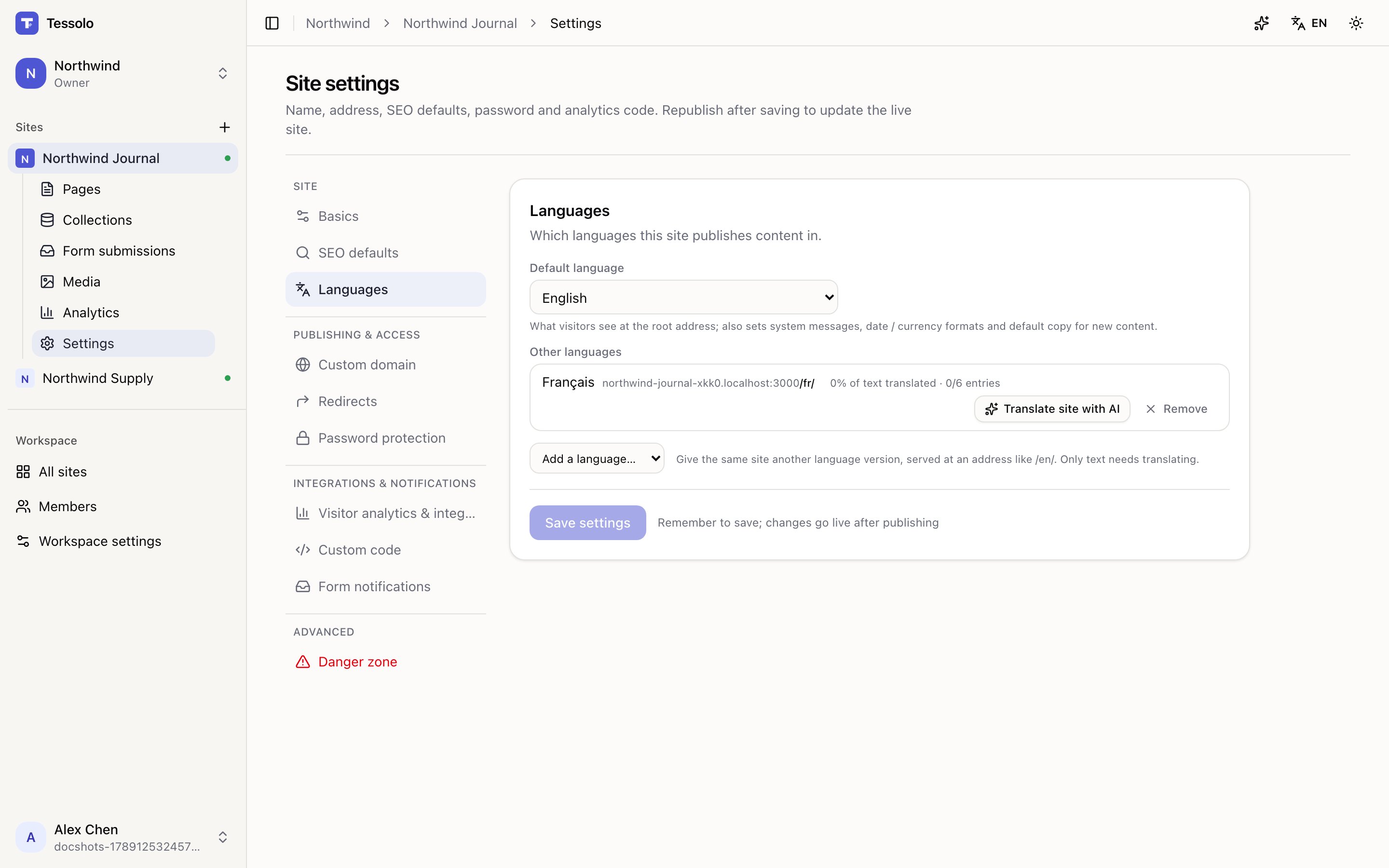
Settings → Languages → Translate site with AI, on the language's row.
It works through every page and every entry, showing progress as it goes. On a large site this takes a while — leave the tab open.
Reading the result
When it finishes you get a summary, and each number matters:
- How many pages and entries were translated. Page changes are in drafts — review and publish.
- How many live entries were republished. Entries that were already live are republished for you, so their translations are online immediately.
- How many didn't come through. Sometimes part of a batch fails. Run it again to retry just those — it won't redo the work that succeeded.
That last line is worth reading rather than skimming. A run that says "42 translated, 3 didn't come through" has left three items in the original language, and nothing else will tell you which.
Review it
AI translation is a good first draft and an unreliable final one. It reliably gets wrong:
- Product and brand names — often translated when they shouldn't be
- Idioms and wordplay — translated literally
- Tone — formality varies by language in ways a machine doesn't judge well
- Anything with a legal weight — terms, guarantees, claims
The canvas markers help: everything AI wrote counts as translated, so use the entries table's Translations column and walk the pages in translation mode.
If you can, have someone who speaks the language read the top three pages. Not the whole site — the pages that carry your pitch.
⌘Z undoes an AI translation run on a page, in one step, like any other AI result.
Cost
It uses your monthly AI allowance. Translating a whole site is the largest single thing most people do with it — check the allowance on the AI panel first if your site is big. See plans and limits.
Translating collection entries
Translate Tessolo collection entries with the language tabs on each entry: which fields translate, what's left, AI help and publishing.
Publishing translations
Why a translated Tessolo site can still show the original language: pages and entries publish separately, and the order that gets it live.