Publishing and republishing
Publish a Tessolo site: what gets published, when to republish after a settings change, who can publish, and how long it takes to go live.
Everything you do in the editor changes a draft. Publishing takes a snapshot of that draft and puts it on your public address.
Until you publish, visitors see the previous snapshot — or nothing, if you never have.
Publishing
Press Publish in the editor's top bar, or on the site's Pages screen. The badge counts pages changed since last time.
- 1Pages changed since the last publish
- 2Pre-publish check — suggestions, not blockers
The panel shows:
- {n} pages changed — which ones, so you can spot anything you didn't mean to touch
- Pre-publish check — suggestions that don't block you. See the pre-publish check
- The Publish button, or Publish anyway if there are open suggestions
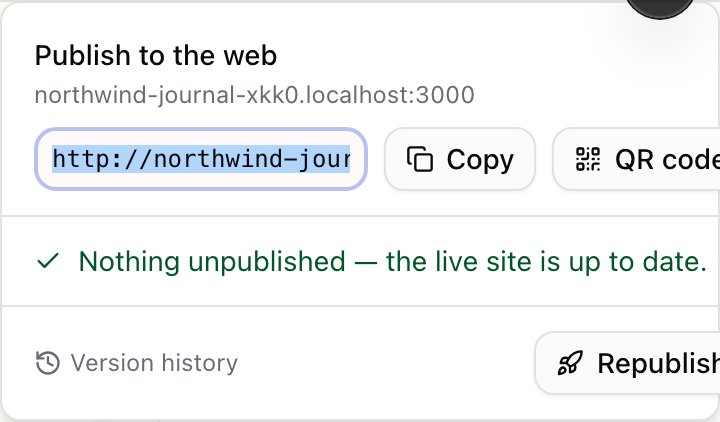
It takes a few seconds. You get the address, a copy button and a QR code for checking on your phone.
What gets published
The whole site, not the page you're on. Every page with unpublished changes, plus your header and footer.
That's why editing the header republishes everything — it's one piece of content that appears on every page.
Not published: collection entries. Those publish individually. See entries and publishing.
Republishing after a settings change
Site settings — analytics IDs, custom code, the language list, your primary domain — are frozen into the snapshot when you publish.
So changing a setting does nothing to the live site on its own. Republish to apply them. The panel reminds you: Changed site settings? Republish to apply them.
This catches people out with analytics most often: the ID is pasted, the page is saved, and nothing tracks because the live snapshot still has no ID.
Who can publish
Publishing needs an admin. Editors can change everything and see the button, but they're told they need an admin rather than getting a silent failure.
That's the line the roles are drawn on: editing is reversible, publishing is what visitors see.
After a plan change
Plan features are frozen into the snapshot too. If you upgrade to remove the "Made with Tessolo" badge, the live site keeps it until you publish once — and the panel tells you so.
How long it takes
Seconds. Visitors may see the previous version for up to a minute while caches catch up. There's no downtime and no maintenance window.
Publishing translations
Why a translated Tessolo site can still show the original language: pages and entries publish separately, and the order that gets it live.
The pre-publish check
What Tessolo's pre-publish check flags before a site goes live — SEO, dead links, images, forms, collections — and which issues really matter.