Redirects
Set up 301 and 302 redirects in Tessolo to keep old addresses working when a page path changes or you move over from another platform.
A redirect sends anyone who opens an old address to a new one. It's how you change a page's path without breaking every link to it.
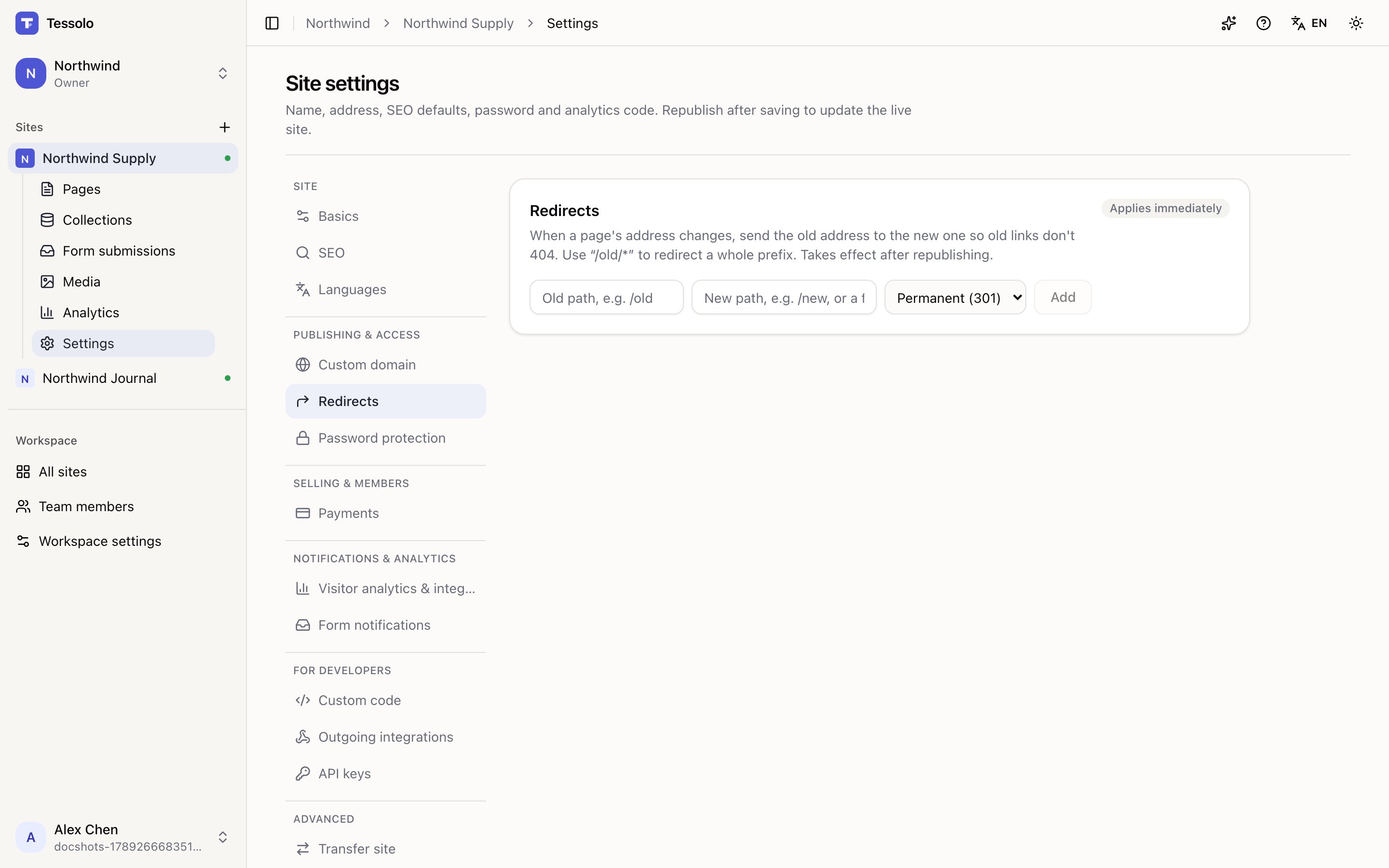
Adding one
Settings → Redirects:
- From — the old path, like
/old - To — the new path, like
/new, or a full address on another site - Type — Permanent (301) or Temporary (302)
Permanent or temporary?
Permanent is what you want almost always. It tells search engines the page has moved for good, and the value the old address had built up transfers to the new one.
Temporary is for genuinely temporary detours — a page down for maintenance, a seasonal
campaign sending /sale somewhere for two weeks. Search engines keep the old address in
their index because you've told them it's coming back.
Using temporary "just in case" is the common mistake: you keep the ranking on an address you never intend to use again.
Whole sections at once
/old/* redirects everything under that prefix. Moving a whole section from /blog/… to
/articles/… is one rule, not fifty.
They take effect after republishing
Redirects are part of the published snapshot. Adding one and testing immediately shows the old behaviour — republish, then test. The panel says so.
Moving from another platform
If you're moving a site to Tessolo and the paths differ, this is where you keep your existing search rankings.
Get a list of the old site's addresses — from its own tools, or from your search console — and add a redirect for each one that changed. Prefix rules cover most of them.
It's the least interesting part of a migration and the one that decides whether your traffic survives it.
What redirects don't do
- They don't fix broken links inside your own site. Fix those in the editor.
- They don't apply before publishing.
- They don't work for addresses that were never yours. Only paths on this site.
Redirect or 404?
If you know where an old address should go, redirect it. If a page is simply gone with no successor, let it return "not found" — that's honest, and search engines drop it cleanly. See the 404 page.
Redirecting everything to your homepage is worse than a 404: visitors land somewhere unrelated with no explanation.
Connecting a custom domain
Connect a domain you already own to your Tessolo site: add it, copy the DNS records to your registrar, verify, and fix a stuck domain.
Password protection
Put a whole Tessolo site behind one password: how visitors see it, what else it blocks, what it's good for, and removing it before launch.