Paths and URLs
How a Tessolo page path becomes its public URL: the rules, the homepage, nested paths, reserved names, and changing a path without broken links.
Every ordinary page has a path — the part after your domain. A page with the path
/about is at yourbrand.com/about.
The rules
- Starts with
/. - Lowercase letters, numbers and hyphens. Use hyphens between words, not spaces.
- Keep it short and readable.
/pricingbeats/our-pricing-and-plans-2026.
The path is suggested from the page name when you create the page. That suggestion is a starting point, not a rule — edit it before the page goes live.
The homepage
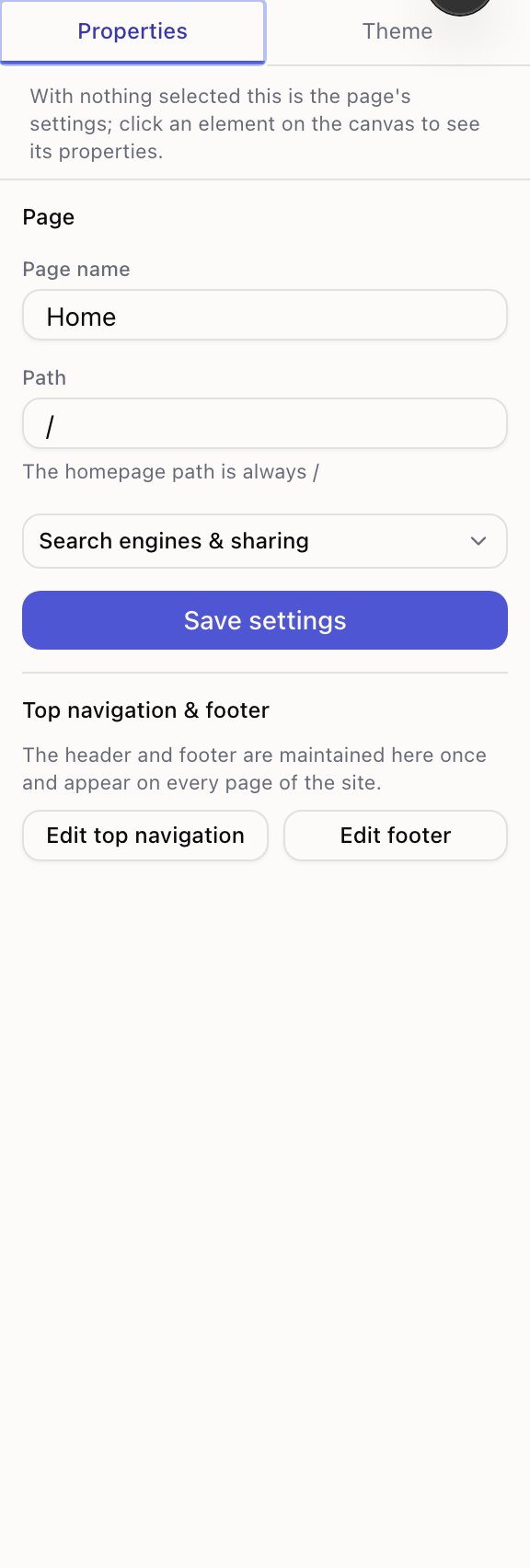
The homepage is always / and you can't change that. To make a different page the homepage,
use Set as homepage; the old homepage keeps its own path.
Nested paths
You can nest with slashes: /guides/getting-started. That's purely how the address reads —
it doesn't create a folder or a parent page, and /guides doesn't have to exist.
Nesting is worth it when it helps a visitor understand where they are. It isn't worth it just to look organised.
Names you can't use
A few paths are reserved because Tessolo itself uses them, and a few site addresses are reserved for the same reason. If you pick one, you're told immediately rather than after publishing.
Changing a path later
Two ways in, and they do the same thing:
- The page list — a page's ··· menu → Change page address…
- The editor — the Path field in page settings
Changing a path changes the address, so anyone holding the old link would land on nothing. That's what the switch under the field is for:
Send the old address to the new one — links you already shared and search results keep working (takes effect after the next publish).
Leave it on unless you have a reason not to. Search engines transfer what they'd learned about the old address, and the link in last month's newsletter still works.
The switch only appears when you've actually changed the address, and it needs a paid plan. On the Free plan the address still changes — you're told the forwarding part needs an upgrade, rather than being blocked.
When there's nothing to forward
The switch doesn't appear for three kinds of page, and none of them is a bug:
| Why | |
|---|---|
| The homepage | Forwarding from / would swallow the whole site |
| A detail page template | Its address is one per entry, so there's no single old address |
| A page that has never been published | That address was never live, so nothing points at it |
Changing it back
If you move /about to /about-us and then think better of it, changing it back works — the
old forwarding rule is cleared when a real page moves onto that address again. You won't end
up stuck in a loop.
You can also manage forwarding by hand under Settings → Redirects; see redirects. Changing an address is the common case, and it does the bookkeeping for you.
Republish afterwards. The forwarding rule goes live with your next publish, not the moment you save.
What adds a prefix
Two things put something in front of your path:
- Your site address. Before you connect a domain, pages live under the free address you were given.
- Extra languages. Your default language stays at the root; other languages get a prefix
like
/fr/about. See multi-language sites.
A path can't start with a language code you've enabled. If you've turned on French, a page
at /fr would be ambiguous, so Tessolo refuses it and says why.
Detail pages
Pages generated from a collection get their address from a prefix plus the entry's own URL
name — /products/aurora-pro. You set the prefix on the template page; the last part comes
from the entry. See detail pages.