Page settings and SEO
Set a Tessolo page's name and path, search title, meta description, share image and canonical URL — or let AI write the SEO text for you.
Press Esc in the editor — with nothing selected, the right panel becomes the page's settings. There's no separate button.
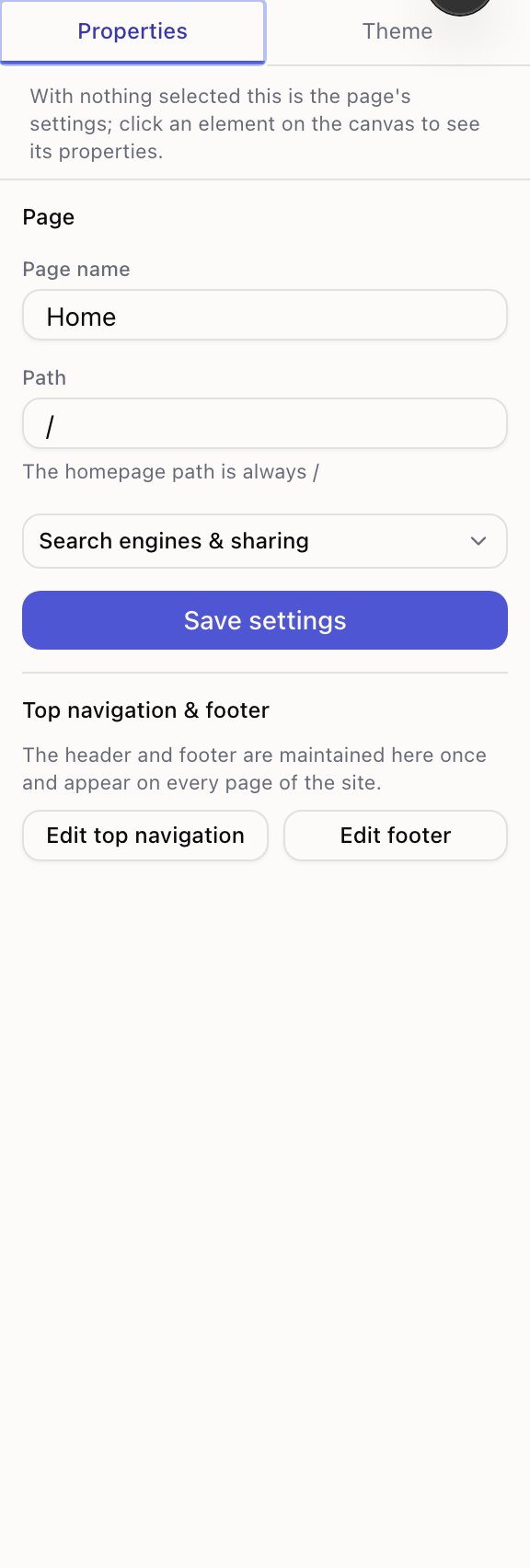
Page name and path
Page name is what you and your team call it, and doubles as the search result title if you don't set one. Page address is where it lives — see paths and URLs.
Search engines & sharing
Everything here is optional. Left blank, Tessolo uses the page name and generates a share image for you. Filling them in is one of the cheapest improvements you can make.
Let AI write it
If you don't know what to put, press Let AI write it. It reads the text already on the page and fills in a title and a description, which you can then edit like anything you typed yourself. Nothing is saved until you press Save.
It only uses what's on the page — it won't invent a statistic, an award or a client name to make the sentence sound better. If the page is still nearly empty it says so instead of making something up.
The preview
Under the two fields is a mock-up of how the page looks in a search result, plus a bar for each field:
| Bar | Means |
|---|---|
| Grey | Nothing filled in yet |
| Amber | A bit short — you have room to be more specific |
| Green | Good length |
| Red | Too long, search results will cut it off |
The title bar measures the finished line, including the site-wide title pattern. A title
that looks fine on its own can still overflow once | Your Brand is appended, and this is
where you see that.
Chinese, Japanese and Korean characters count as two — the limits are about width on screen, not a character count.
Search result title
The line people click in search results. If blank, the page name is used.
Aim for something a stranger would understand out of context. "Pricing" is fine inside your site; "Pricing — Northwind Supply" is better in a list of ten search results.
Description
The grey summary under the title in search results. The bar underneath tells you when you're in range — shorter looks thin, longer gets cut off.
Write it as a sentence to a person, not a list of keywords. It doesn't change your ranking directly; it changes whether anyone clicks.
Share image
The picture shown when someone posts your link in a chat or on social media.
Leave it blank and one is generated from your page. Set it when the page deserves something specific — a product shot, an article's cover.
Hide from search engines
Asks search engines not to list this page. Use it for a thank-you page, an internal document, or a landing page meant only for an ad campaign.
It doesn't make the page private. Anyone with the link can still open it. For that, use password protection.
Canonical URL
Usually leave this alone. It's for when the same content is reachable at two addresses and you want to tell search engines which one counts.
The typical case is a page you've deliberately duplicated for a campaign. Point the copy's canonical at the original and search engines credit the original instead of treating them as competing pages.
Detail template pages
On a page that serves a whole collection, the title and description can pull from the entry being shown. The panel gives you the exact placeholder to use, and the result is replaced with real content when the page is published.
That matters: without it, every article on your blog would have the same search result
title. If you leave them blank, Tessolo already falls back to the entry's own title and
summary — so the sensible move is to leave them blank unless you want a pattern like
{entry title} — Northwind Journal.
What's handled for you
Site-wide defaults live in Settings → SEO — a title pattern and a fallback description used by any page that doesn't set its own.
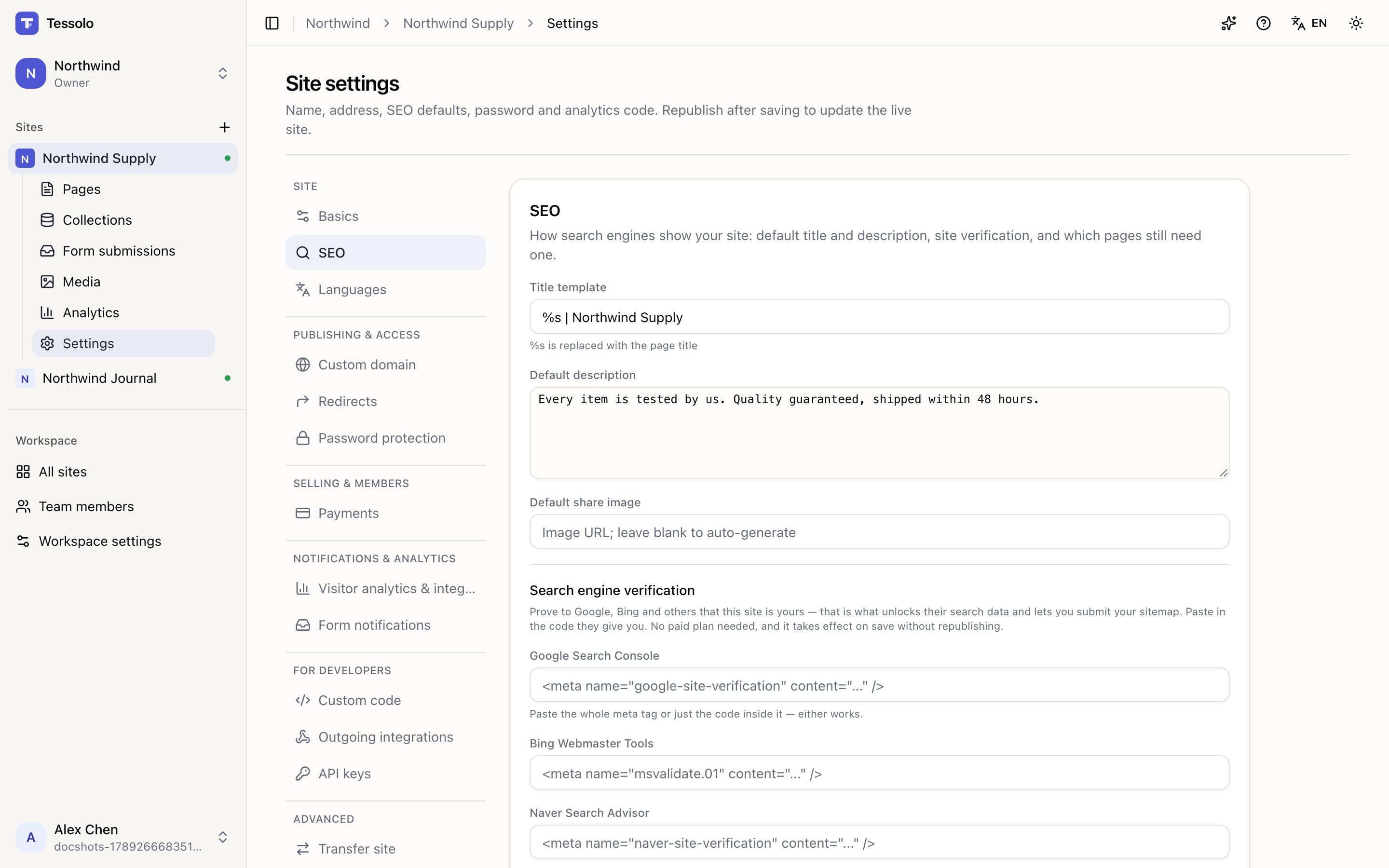
That section also lists every page and whether it has a description of its own — the fastest way to find the handful still falling back to the site default.
You don't need to think about the sitemap, the language tags on a multi-language site, or the structured information search engines read about your articles and products. All of it is built from your pages and entries every time you publish.
Detail page templates
Design one detail page template in Tessolo and every entry in a collection gets its own page and address, with related entries and per-entry SEO.
Themes
One Tessolo theme drives colours, fonts and spacing across the whole site: what it controls, schemes as starting points, and block overrides.