Detail pages for entries
Give every collection entry its own page in Tessolo: create a detail template, set the address prefix, link lists to it, and SEO per entry.
A list shows a card per entry. A detail page is what opens when someone clicks one.
You design it once. Every entry gets its own address using that design.
Create the template
New page → More settings → Page type, then pick your collection. It appears in the Pages list under Detail page templates.
(Starting from a Content page — a product or article list — creates the list page, the collection and this template in one go.)
If your site came from the Blog, Brand Store, Campaign or Agency template, one already exists and is wired up — skip to step 3.
Set the prefix
The template has a prefix, and each entry adds its own URL name:
/products + aurora-pro → /products/aurora-proSet the prefix now. Changing it later moves every detail page in the collection, breaking existing links.
Design it against a real entry
The canvas shows a real entry, with a picker at the top for switching between them.
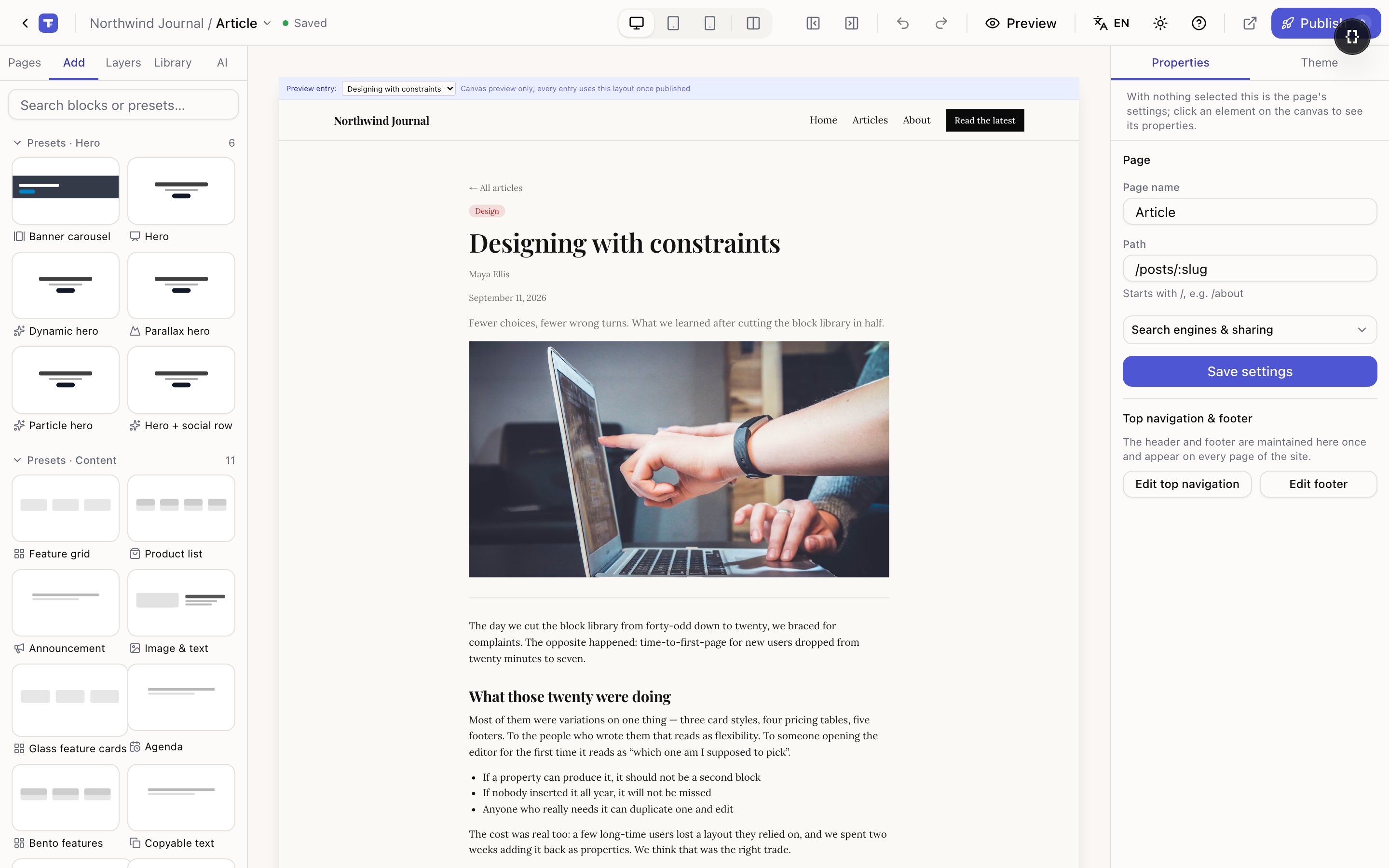
Switch entries while you design. A layout that looks right with a short title often breaks with a long one; a card that looks fine with a photo looks broken without. Cycling through three or four catches both immediately.
Each piece of content is a Field block — pick which field it reads and how to show it (Text, Heading, Badge, Price, Date, Image, Link, Button, Rich text). Which field lands where by default comes from display mapping.
Link your lists to it
Go back to a page with a Collection list. In the Data section, set the card's button to open the detail page.
That option only appears once a template exists — before then the panel tells you to create one first.
"More like this"
Most detail pages end with related entries. That's a Collection list pointed at the same collection, and the entry currently being shown is excluded automatically — a visitor never gets a link back to the page they're on.
Keep the count matched to the columns. On a narrow article layout two is right; on a wide product page four.
Only published entries get a page
A draft entry has no address on the live site. In the editor you can preview it; visitors get "not found".
Publishing the entry creates its page. Unpublishing removes it.
SEO for each entry
Left alone, each detail page uses the entry's own title and summary for its search result title and description — which is what you want, and why they should stay blank.
Fill them in only for a pattern like {entry title} — Northwind Journal. The panel shows
the exact placeholder to use.
Don't type a fixed title into a template's SEO settings. Every entry would share it, and a hundred pages with the same search result title look like duplicates.