Display mapping
Display mapping tells Tessolo which collection field is the title, main image, price or date, so cards and detail pages show the right content.
Your fields have names that make sense to you — "Standfirst", "Hero shot", "RRP". Tessolo's card and detail layouts think in roles: something is the title, something is the main image, something is the price.
Display mapping connects the two. Set it once per collection.
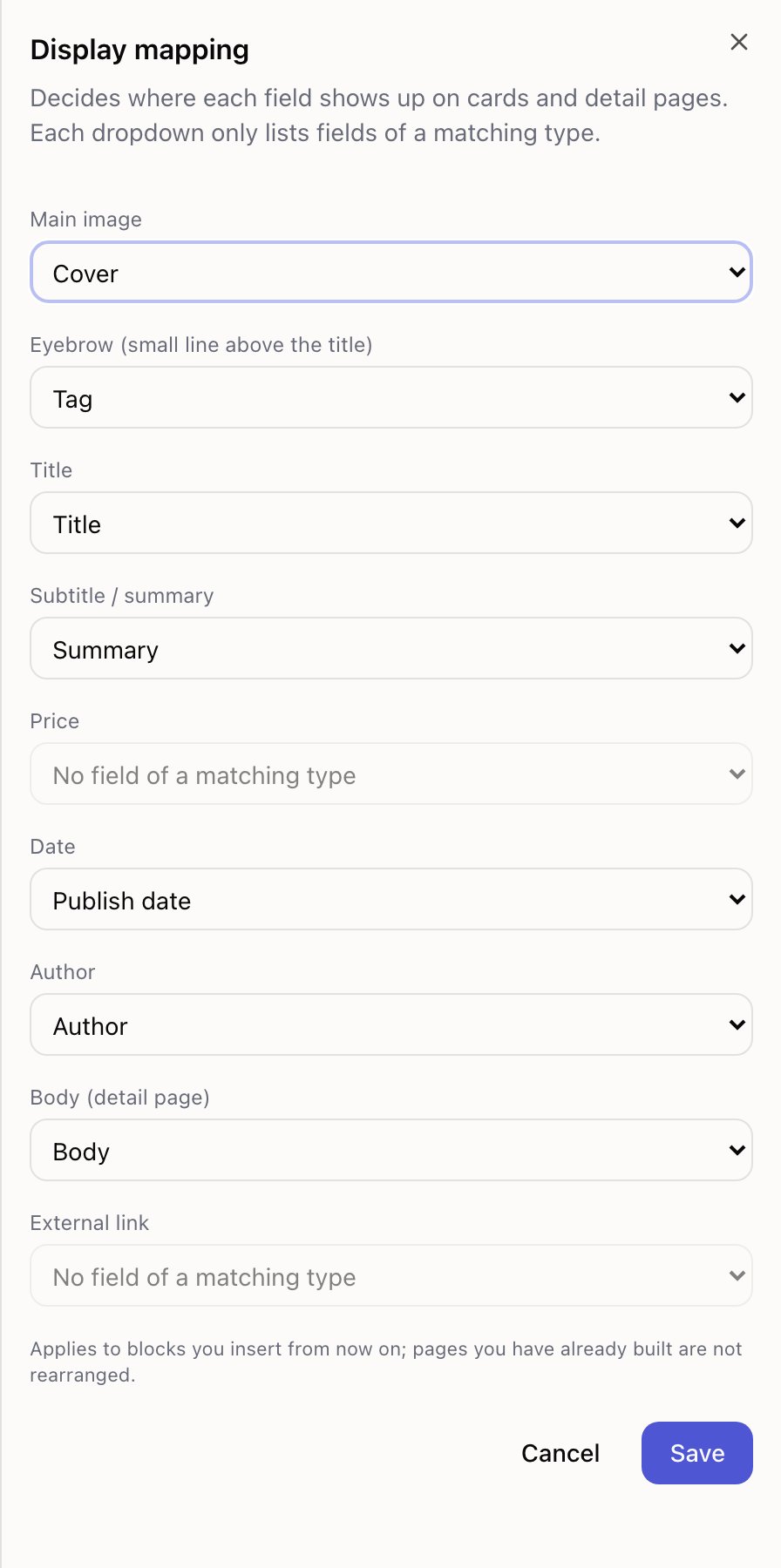
Open a collection and press Display mapping.
The roles
| Role | Where it shows |
|---|---|
| Title | The main line on cards and the detail page heading |
| Subtitle / summary | The line under the title |
| Main image | Card image and detail page cover |
| Price | Formatted as money |
| Date | Formatted as a date |
| Author | Byline on article layouts |
| Eyebrow | The small line above the title — usually a tag or category |
| Body (detail page) | The long content on the detail page |
| External link | Where the card's button goes, when it isn't a detail page |
Each dropdown only offers fields of a matching type, so a date can't accidentally become the image. If a role has no suitable field, it says so rather than offering nothing.
You don't have to fill them all. A team collection has no price; an announcement has no author.
Fields that show up nowhere
The panel lists any fields not used by a role and not otherwise placed: These fields will not appear on any page.
Read that line. It usually means one of two things — a field nobody needs (delete it), or a field you meant to show and forgot to map.
The one thing to know
Display mapping applies to blocks you insert from now on. Pages you've already built are not rearranged.
If you change the mapping and an existing list looks identical, that's why. Two ways forward:
- Fix that list by hand. Click the piece of text on the card, and change Field in the right panel.
- Replace the list. Delete the block and add a fresh one, which picks up the new mapping.
It works this way because the alternative is worse: one dropdown silently rearranging pages you'd already tuned, across a site you'd already published.
Getting it right early
Set the mapping before building pages. It costs a minute then, and saves editing every card later.
If your collection came from a starter set or a template, it's already mapped sensibly — open it once to confirm, then leave it.
Entries and publishing
Collection entries in Tessolo publish separately from the site: draft, published and unpublished changes, URL slugs, ordering and deleting.
Showing entries on a page
Show collection entries on a Tessolo page with the Collection list block: point it at a collection, choose a layout and set what each card shows.