Templates and colour schemes
What each of the seventeen templates gives you, and what a scheme changes.
When you create a site you pick a template (the pages and their content) and a colour scheme (the look). Both are starting points — everything is editable afterwards.
Finding one
There are two places to browse: the template library at tessolo.com/templates,
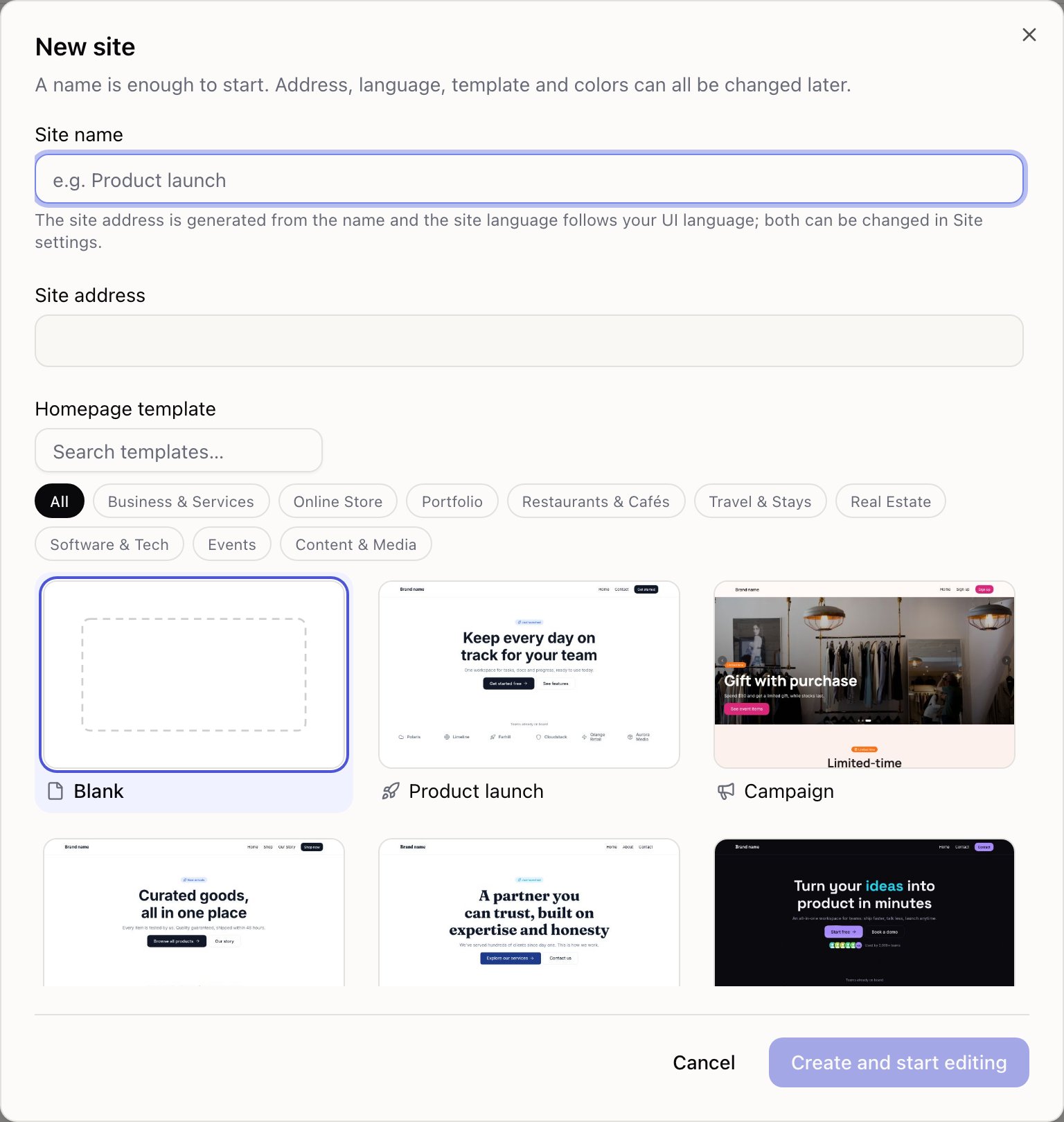
and the new site dialog in the console. Both let you search by name, by industry, or by what
a template can do — typing booking finds the ones with a booking form in them.
In the library, hovering a template replaces the cover with the real page and scrolls slowly through it, so you can see the whole thing without clicking in. The bookmark icon on each card saves it; saved templates move to the front in both the library and the new site dialog.
The templates
| Template | What you get | Good for |
|---|---|---|
| Blank | Nothing. Drag blocks in | You know exactly what you want |
| Company | Home, About (team and numbers), Contact (form and FAQ) | Company websites |
| Product launch | Hero, client logos, three features, image and copy, numbers, testimonials, CTA, plus a contact page | Apps and tools |
| SaaS launch (dark) | Particle hero, bento features, 3D globe, live stats, pricing, FAQ, contact | Tech products |
| Web3 project (dark) | Particle hero with social icons, partners, core features, token allocation chart, roadmap, team, FAQ, community, plus a whitepaper summary page | Tokens, protocols, NFT and DeFi projects |
| Campaign | Banner carousel, countdown, event products, FAQ, sign-up page | Sales and holiday campaigns |
| Brand Store | Featured products, product list, product detail pages, brand story, contact form | Brands and shops |
| Blog / Newsroom | Masthead, latest articles, article detail pages, about, subscribe | Content marketing, company news |
| Agency / portfolio | Animated hero, services bento, manifesto, recent work, testimonials, Work page | Studios and portfolios |
| Product drop | Full-screen parallax hero, countdown, feature split, testimonials | Launches and pre-orders |
| Event / summit | Dynamic hero, numbers, agenda, speakers, tickets | Summits, meetups, launch events |
| Personal portfolio | Portrait intro with social icons, selected work, what you can be hired for, past clients, contact, plus Work and About pages with a track record | Designers, photographers, freelancers |
| Local service · booking | Hero, most-booked services, browse by type, why us, reviews, FAQ, plus Services & prices, a page per service category, a three-step booking form and an About / Visit page with hours and a map | Therapy, clinics, gyms, salons, law, consulting |
| Listings | Hero, featured listings, how we work, reviews, FAQ, plus an All listings page with filtering, sorting and pagination, and a landlord page | Letting agents, car sales, retail units, used equipment |
| Restaurant / café | Full-bleed interior, how we cook, signatures, the menu by course, a clickable photo of the room, hours and address, plus Menu, a page per course and Reserve pages | Restaurants, cafés, bakeries, wine bars |
| Wedding / private event | Venue hero, countdown, your story, the running order, directions, photos, plus a long-form story page and an RSVP with submission limits | Weddings, anniversaries, private parties |
| Boutique stay | Full-screen exterior, a line that reveals as you scroll, featured rooms, four things to do, a clickable photo of the courtyard, how a day goes, numbers, guest quotes, check-in times and directions, plus Rooms, a page per room and a Book page | Guesthouses, small hotels, country inns |
Nine come with content
Campaign, Brand Store, Agency, Blog / Newsroom, Personal portfolio, Local service, Listings, Restaurant and Boutique stay create a collection with sample entries, a working list on the homepage, and a detail page template — all wired together. Brand Store, Local service and Restaurant also create a Categories collection that the main one points at, with a page per category listing what's in it.
Listings goes one step further: its list page ships with a filter (only what's available), a sort (by price) and pagination, so you can see how those work before setting up your own.
Boutique stay is the first template whose photography is ours rather than stock: the rooms, the courtyard and the breakfast table are images we generated and host, so nothing in it carries someone else's brand. Swap them for your own the moment you have real photos — a real room always beats a good picture of a different room.
If you'll have products, articles or case studies, start with one of these even if the design isn't exactly right. Wiring a collection to a list and a detail page by hand takes far longer than restyling a template.
The seven colour schemes
| Scheme | Description |
|---|---|
| Minimal mono | Black, white and grey with a touch of blue. Safe anywhere |
| Deep navy | Navy primary with serif headings. Companies and services |
| Vivid magenta | Warm white with a magenta primary. Campaigns and launches |
| Noir tech | Dark base with electric violet and cyan. SaaS and tech |
| Sunset warm | Cream base, orange-pink primary, big rounded corners. Product drops and lifestyle |
| Editorial mono | Off-white, pure black, a touch of red, serif headlines. Events and brand stories |
| Warm serif | Cream base, terracotta and olive, rounded serif headings. Food, stays, weddings and makers |
A scheme sets colours and fonts for the whole site. Every template works with every scheme, so a dark template with a light scheme is fine.
Your own saved themes appear here too, so a new site can start on your brand rather than a built-in scheme. See saving and reusing themes.
Choosing
Match the structure, not the colours. Colours are one click to change later; the pages, the collection and the detail template are the work.
If you'll write articles, take the Blog template even if you dislike the black and white. Then open Theme and change it — thirty seconds.
Changing your mind
You can't swap templates after creating a site. What you can do:
- Change the look entirely in the Theme panel
- Delete pages you don't need and add your own
- Create a second site and delete the first, if you're an hour in
Templates are scaffolding. Nothing you build on top is locked to the one you picked.
Around the console
A tour of the Tessolo console: the sidebar, each site's sections, the Pages screen, the launch checklist, settings and quick navigation.
Import a page from a URL
Paste the address of an existing web page and Tessolo's AI rebuilds it with native blocks — what comes across, which addresses work, limits.