Members and roles
Invite teammates to a Tessolo workspace, what each of the four roles can and can't do, changing roles, transferring ownership and member limits.
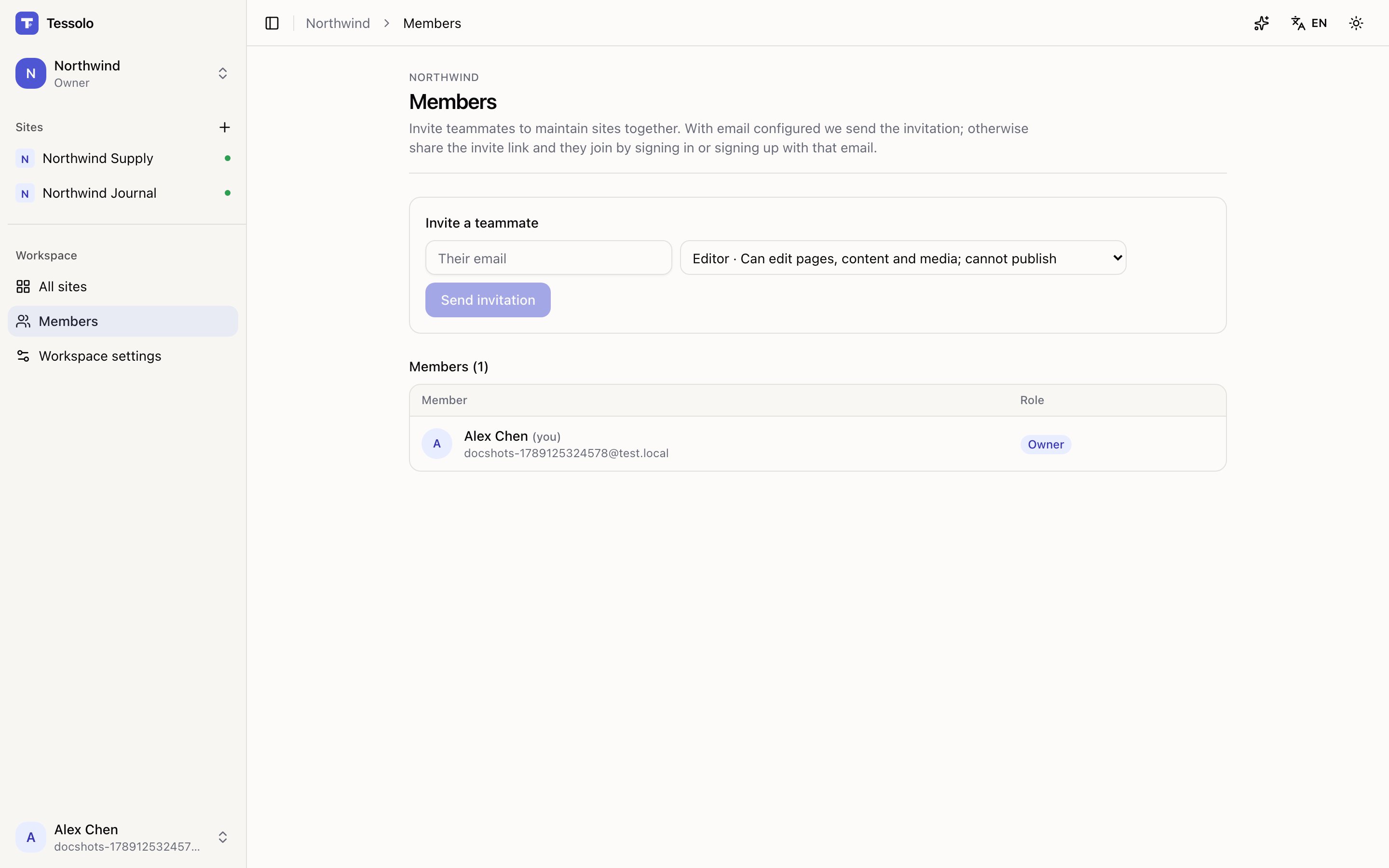
Inviting someone
Members in the sidebar → type their email → Send invitation.
They get an email with a link. They accept by signing in — or signing up — with that email address. Invitations last 7 days.
If email isn't configured on your deployment, you get a copy-able invite link instead. Send it however you like; it works the same way.
Pending invitations are listed separately, with Revoke if you invited the wrong person.
The four roles
| Role | Can |
|---|---|
| Viewer | Read-only |
| Editor | Edit pages, content and media — cannot publish |
| Admin | Everything an editor can, plus publish, site settings, domains and members |
| Owner | Everything, plus billing and deleting the workspace |
There's one owner — whoever created the workspace, until they hand it over.
Where the line sits
The interesting boundary is editor versus admin, and it's drawn at what visitors see.
An editor can change anything in the editor. Everything they do is a draft, reversible, and invisible to the public. An admin decides when that becomes the live site.
That makes "editor" the right default for most people. Writers, marketers and designers can work freely; going live stays a deliberate act by someone accountable for it.
Give admin to people who should be able to publish without asking. Being generous with it is fine on a small team — just know that's what you're granting.
Changing a role
Change it in the member list; it applies immediately. Remove takes someone out of the workspace — their sites and content stay, since those belong to the workspace.
Transferring ownership
The owner can hand the workspace to another member: Transfer ownership… next to their name in the member list. They become the owner, you drop to admin.
There's only one owner, and you can't take it back yourself — the new owner would have to hand it back. So it's worth being sure.
If you only want to hand over one site rather than the whole workspace — a finished project going to a client, say — use Transfer a site instead. That one doesn't require the recipient to be in your workspace at all.
Member limits
By plan: 1 on Free, 3 on Starter, 10 on Pro, unlimited on Business. Pending invitations count. See plans and limits.
Workspaces
How Tessolo workspaces group sites, team members, billing and saved themes — how many you need, and how to create, switch and configure them.
Transfer a site
Hand a finished Tessolo site to a client's own account: how to send and accept a transfer, what moves with the site and what stays behind.