Account settings
Change your name, interface language, appearance and password in Tessolo, verify your email, or delete your account for good.
Account settings from the menu under your name, or at the bottom of the sidebar. This is about you, not any workspace.
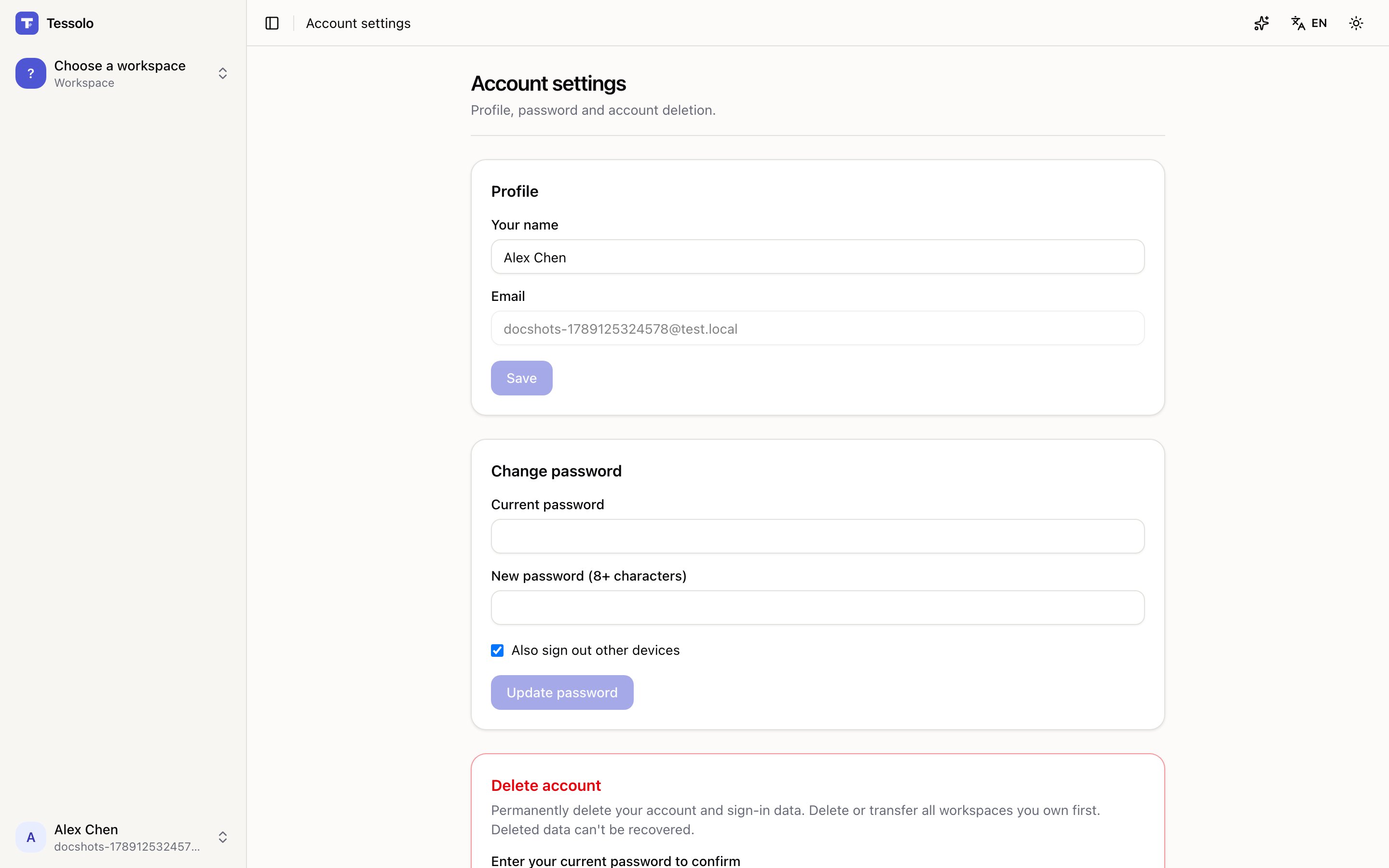
Profile
Your name is what teammates see in the member list.
Email is your sign-in address and where notifications go.
Language
Sets the interface language — menus, buttons, the editor.
It's separate from your sites' languages. Working in Chinese while building an English site is completely normal, and switching this doesn't touch any site.
It also decides the language of emails Tessolo sends you.
Appearance
Light, Dark, or follow your system. Applies to the console and editor only — your sites have their own theme.
System follows your device, including switching automatically in the evening.
Changing your password
Enter your current password and a new one, at least 8 characters.
Also sign out other devices ends every other session. Tick it if you're changing your password because you're worried about it, rather than because it was due.
Email verification
An unverified address shows a banner with a button to resend the link. Worth doing — some notifications depend on a verified address, and an unverified one is a hassle if you ever need to recover the account.
Deleting your account
Permanent, and there are two conditions:
- Delete or hand over any workspace you own first. Otherwise everyone else in them loses access.
- Confirm with your current password.
Deleted data can't be recovered. Export anything you want to keep first — workspace settings has a full export.
Being a member of workspaces you don't own is fine; you're simply removed from them.
Billing
Start a Tessolo subscription, change plan, update your payment method, download invoices, and see what happens when a payment fails or you cancel.
Troubleshooting
Fixes for the Tessolo problems people actually hit: changes missing from the live site, empty lists, untranslated pages, lost form entries.