Auto-replies and webhooks
Send an automatic email reply to people who fill in a Tessolo form, or push each submission to another system with a webhook, per form.
Open Form submissions, pick a form, and press Form settings. Both features are per form, so your newsletter and your contact form can behave differently.
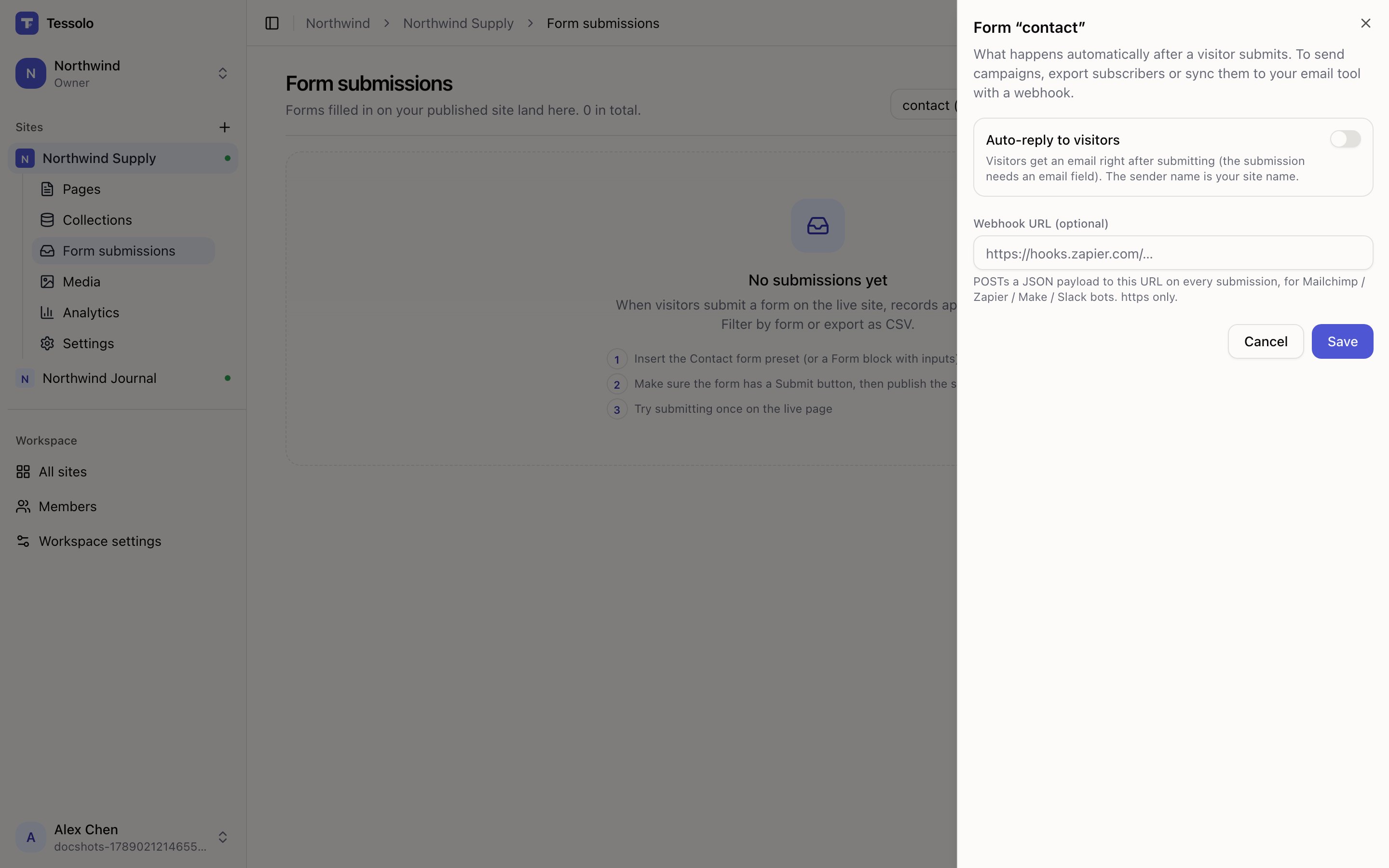
- 1Auto-reply — subject and body
- 2Webhook URL
Auto-reply to visitors
Sends the visitor an email the moment they submit.
Turn on Auto-reply to visitors and write a Subject and Body. The form needs an email field — that's where the reply goes.
Details worth knowing:
- The sender name is your site name, not Tessolo. Visitors see it from you.
- Replies come back to your notification address — the one in Settings → Form notifications. Fill that in first, otherwise a visitor replying has nowhere to go, and the panel says so.
- Send me a test emails it to yourself so you can read it before visitors do.
Write it as a person. "Thanks — we've got your message and we'll reply within a working day" does more than a formal receipt. Say when they'll hear back; that's the question they actually have.
This is one email per submission, sent immediately. It is not a mailing list — Tessolo doesn't send campaigns.
Webhooks
Starter and abovePushing submissions to other systems now lives in one place for the whole site: Settings → Outgoing integrations. There you can send every submission — or just the forms you pick — to Slack, Feishu, Discord, Zapier, Make or your own server, to several of them at once, with automatic retries and an optional signature.
The full guide is Push submissions to Slack, Feishu, Zapier and your own server.
If you set a Webhook URL on a form before this existed, it was moved into Outgoing integrations for you the first time that page was opened; nothing changed about what gets sent.
When delivery fails
If the receiving service is down, that submission is still recorded in Tessolo. You never lose the answer.
Why there's no campaign sending
Tessolo can send one email per submission. It deliberately doesn't do mailing lists.
Sending campaigns well means unsubscribe handling, bounce processing, reputation management — a whole product, and doing it badly gets your domain marked as spam.
So: collect subscribers here, and move them to a tool built for it, either with a webhook (automatic) or a CSV export (manual). The Form settings panel says the same thing.
Submissions and notifications
Where Tessolo form submissions land, who gets the notification email, exporting entries to CSV, deleting them, and what to check if none arrive.
Spam protection and limits
Spam protection for Tessolo forms — human verification, rate limits and monthly quotas — and a checklist for when submissions don't arrive.